
Show a notice under the hints
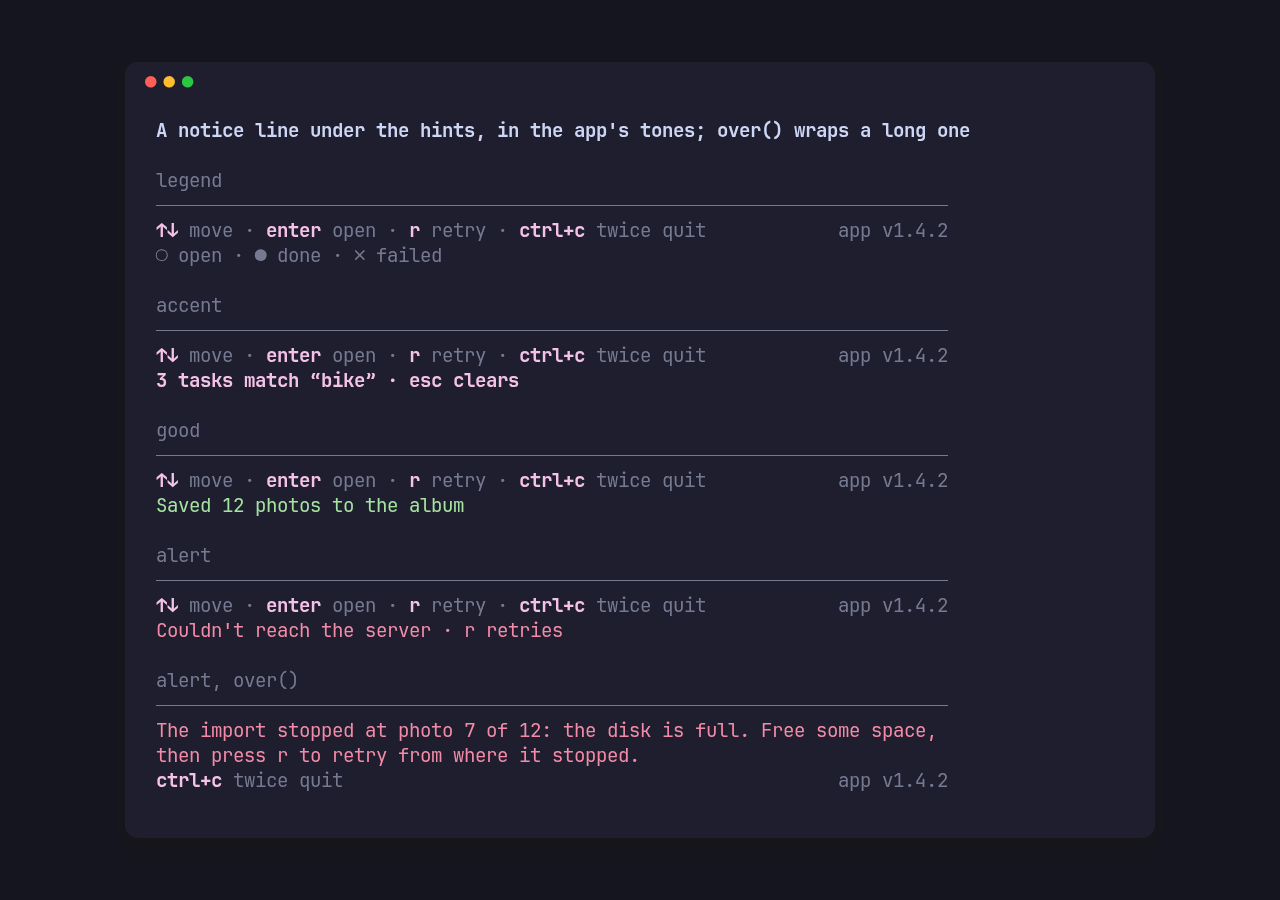
Under the hints sits one line for a legend, a result or a warning. Pass it as
an Option, so the app keeps one footer whether there is a notice or not:
use pito_footer::{Footer, Notice};
let notice = saved.then(|| Notice::good("Saved 12 photos to the album"));let footer = Footer::new(&HINTS).styles(STYLES).notice(notice);
Each tone has a constructor, drawn in the matching style of Styles:
| Constructor | Tone | Style |
|---|---|---|
Notice::legend(text) |
Tone::Muted |
muted |
Notice::accent(text) |
Tone::Accent |
accent |
Notice::good(text) |
Tone::Good |
good, the ink style until the app sets one |
Notice::alert(text) |
Tone::Alert |
alert |
Notice::new(text, tone) |
any Tone |
The picture is the gallery’s notices scene, with these styles:
use pito_footer::Styles;use ratatui::style::{Color, Modifier, Style};
const DIM: Style = Style::new().add_modifier(Modifier::DIM);
const STYLES: Styles = Styles::new()    .accent(Style::new().fg(Color::Magenta))    .muted(DIM)    .rule(DIM)    .alert(Style::new().fg(Color::Red))    .good(Style::new().fg(Color::Green));
A long notice
Section titled “A long notice”A notice is clipped to its row unless it is marked over(). Then, when it is
too long for one row, it takes the hint rows’ place and wraps across them, and
the pinned hints stay on the last row under it:
use pito_footer::{Notice, Tone};
let over = Notice::new(    "The import stopped at photo 7 of 12: the disk is full. Free some space, then press r to retry from where it stopped.",    Tone::Alert,).over();
height(width) counts the rows it takes, and shown(key, width) still answers
true for a pinned hint under it.
A newline, tab or carriage return inside a notice is drawn as one space, so a multi-line message reads as one line.