
Ask a yes or no question
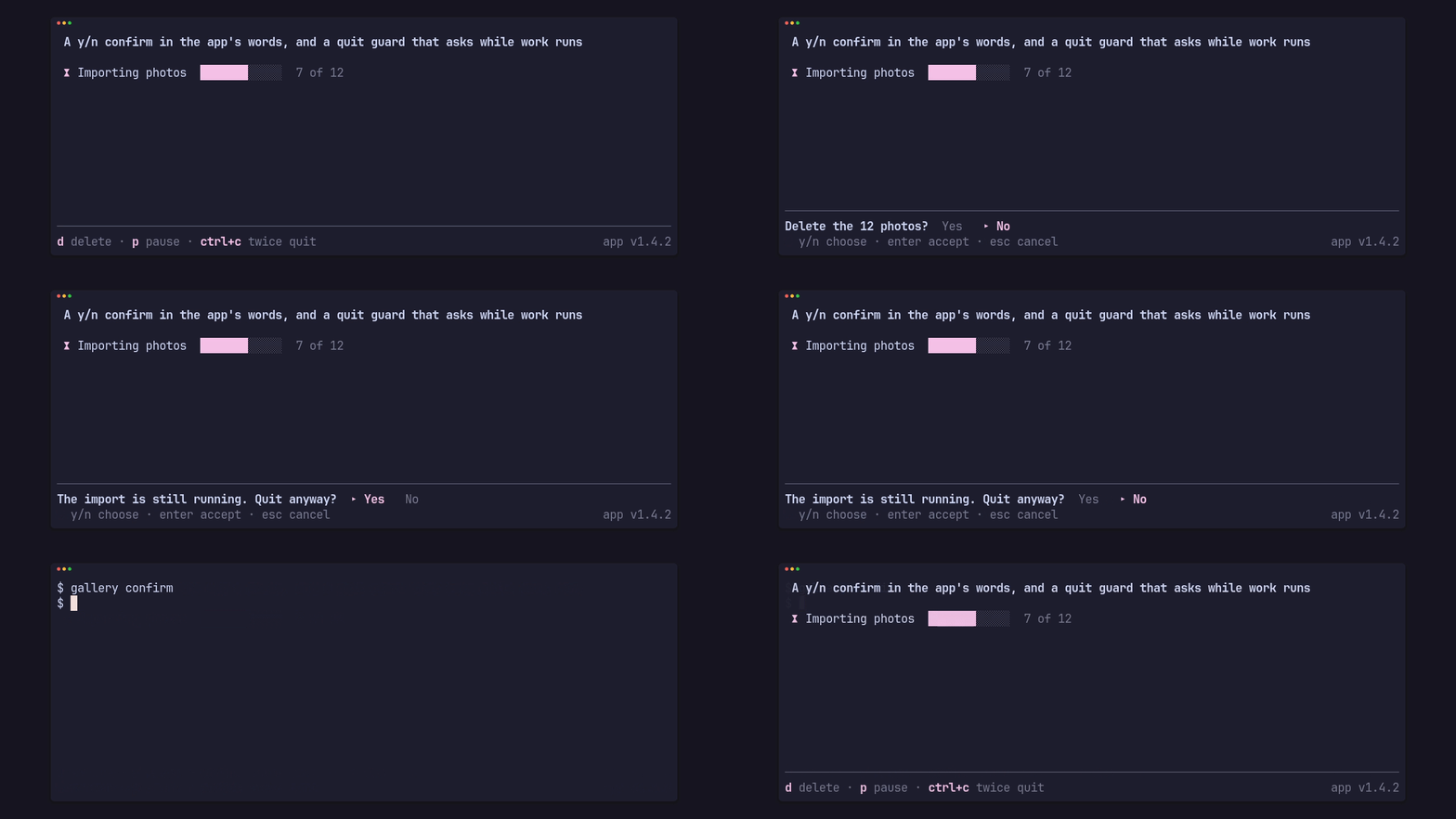
A confirm has two halves: Confirm holds the choice and turns keys into an
answer, and ConfirmBar draws the question in the app’s words. The crate
returns the answer and never runs anything.
use pito_footer::{Answer, Confirm, ConfirmBar, Footer, Key, Notice, Words};
let mut deleting: Option<Confirm> = None;
if key == Key::Char('d') {    deleting = Some(Confirm::new());}
if let Some(confirm) = deleting.as_mut() {    match confirm.key(key) {        Some(Answer::Yes) => {            deleting = None;            delete_photos();        }        Some(_) => deleting = None,        None => {}    }}
let words = Words::new("Yes", "No").hint("y/n choose · enter accept · esc cancel");let bar = deleting    .as_ref()    .map(|confirm| ConfirmBar::new("Delete the 12 photos?", confirm, words));let footer = Footer::new(&HINTS).confirm(bar);
While the app has a bar open the footer draws it in place of the hints:
Delete the 12 photos? Yes ▸ No, with the hint line under it. The choice
starts on No unless the app starts it on Yes with
Confirm::new().start(Answer::Yes). When the width is short the question is
clipped last: the choices go before it does.
The keys
Section titled “The keys”Confirm::new() takes ConfirmKeys::HEY:
| Keys | Do |
|---|---|
y, Y |
answer Yes |
n, N, esc |
answer No |
←, →, tab, shift+tab, h, l |
move the choice |
| enter | accept the choice |
ConfirmKeys::ENTER is the short form: enter answers Yes and esc answers No.
Each set can be changed: ConfirmKeys::HEY.yes(&[Key::Char('j')]), and
.no(..), .toggle(..), .accept(..) and .choose(bool) the same way. Pass
it with Confirm::new().keys(..).
Inline, or in another tone
Section titled “Inline, or in another tone”ConfirmBar::inline(true)draws the question and the choices on one row with no hint line.- A
ConfirmBaris a widget on its own too, with a rule above it;rule(false)drops the rule, andheight()says how many rows it needs. - The question is bold in the ink style;
tone(Tone::Alert)draws it in the alert style instead. The bar takes the footer’s styles unless it has its own throughstyles(..).
The clip above is the gallery’s confirm scene,
cargo run --example gallery --features crossterm -- confirm, which also
shows the quit guard.