
Read a line of text, or a secret key
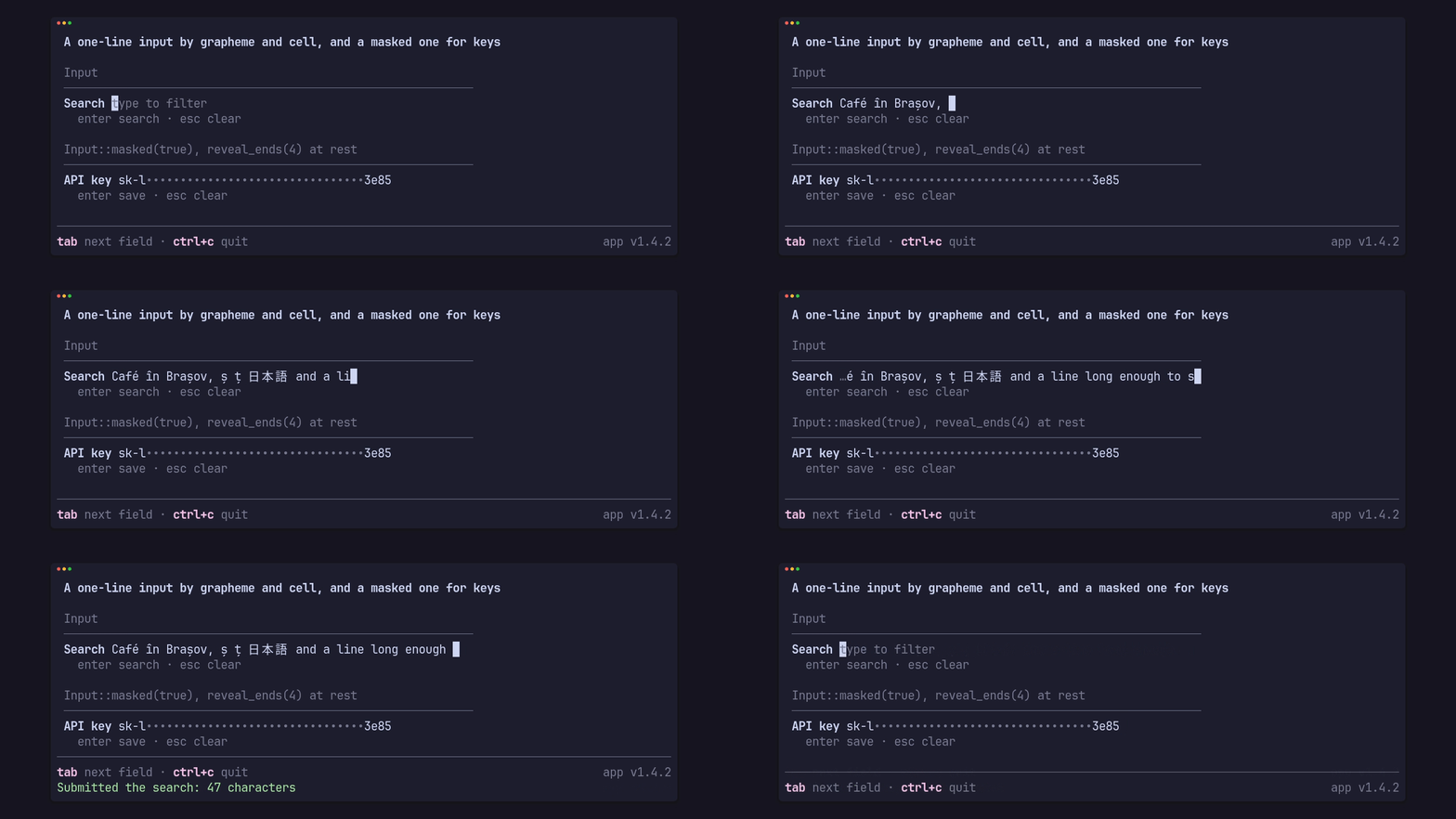
Input holds the text and the cursor. The app feeds it keys and gets an Edit
back; it never submits, clears or closes anything itself:
Edit |
When |
|---|---|
Changed |
the text changed |
Held |
the input used the key without a change, such as a move |
Submit(text) |
enter |
Cancel |
esc |
Pass |
the key isn’t the input’s, such as ctrl+c or tab |
Editing is by grapheme and cell, so diacritics, combining marks and wide glyphs move and delete whole: left and right, home and end, ctrl+a and ctrl+e, backspace and delete, ctrl+u to the start and ctrl+w for the word before the cursor.
A search prompt in the footer
Section titled “A search prompt in the footer”The footer carries an InputBar in place of its hints while the app has one
open:
use pito_footer::{Edit, Footer, Hint, Input, InputBar, Key, Styles};use ratatui::{Frame, layout::Rect};
const HINTS: [Hint; 1] = [Hint::new("/", "search")];
fn key(input: &mut Option<Input>, key: Key) -> Option<String> {    let field = input.as_mut()?;    match field.key(key) {        Edit::Submit(text) => {            *input = None;            Some(text)        }        Edit::Cancel => {            *input = None;            None        }        _ => None,    }}
fn draw(frame: &mut Frame, input: Option<&Input>, styles: Styles) {    let bar = input.map(|input| {        InputBar::new("Search", input)            .placeholder("type to filter")            .hint("enter search · esc cancel")    });    let footer = Footer::new(&HINTS).styles(styles).input(bar);    let area = frame.area();    let height = footer.height(area.width);    let area = Rect { y: area.bottom().saturating_sub(height), height, ..area };    frame.render_widget(footer, area);}
InputBar draws the label, then the text with a reversed caret cell, or the
placeholder while empty, and scrolls with “…” at either cut end to keep the
caret in view. An InputBar is also a widget on its own: height() says how
many rows it needs.
An app that shows the terminal’s own cursor asks cursor(area) where the caret
is and drops the drawn one with caret(false).
A paste
Section titled “A paste”A bracketed paste arrives as its own event, not a key: hand its text to
Input::paste. It stays on one line; a newline, a carriage return or a pair of
them each become one space.
if let Event::Paste(text) = event { input.paste(&text);}Input::new().limit(64) caps the value at 64 characters: a paste or a key
past it is cut or held, and set truncates.
A masked field for keys
Section titled “A masked field for keys”Input::masked(true) draws every character as •, or the app’s glyph through
InputBar::mask, and never reveals anything while the user types or edits. A
stored key shown at rest can opt in to its ends:
let key = Input::new().masked(true).with(stored_key);let bar = InputBar::new("API key", &key) .placeholder("paste a key") .hint("enter save · esc clear") .reveal_ends(4);reveal_ends(4) draws the first and last four characters only while the
input holds the value it was given by with or set and was not edited since
(Input::edited()), and only when it has at least sixteen characters, so the
revealed share stays a quarter or less. The value stays whole for Submit, and
neither Input’s nor Edit’s Debug prints it.
The clip above is the gallery’s input scene: tab moves between the two
fields. cargo run --example gallery --features crossterm -- input.