
Colours and words
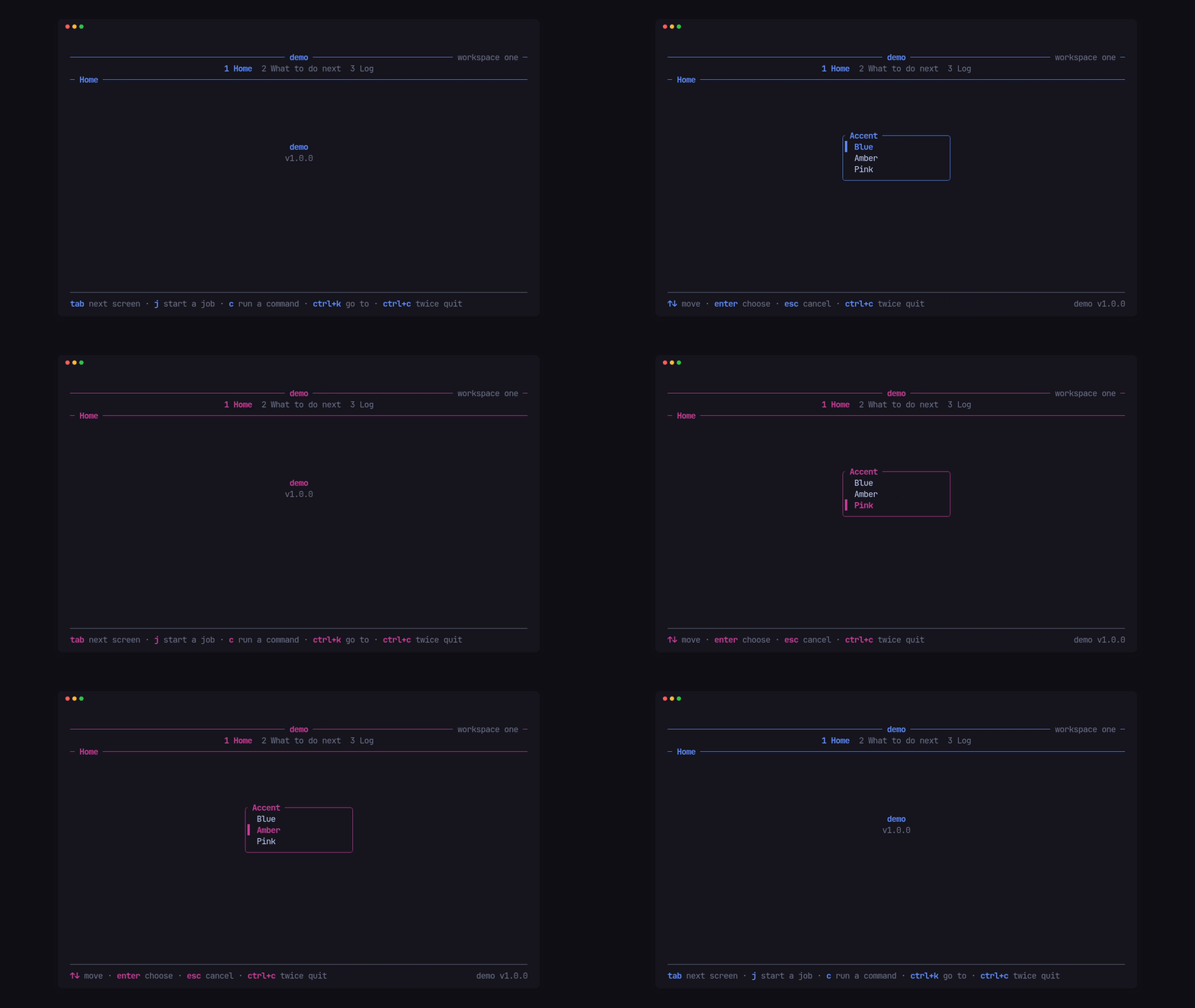
A palette from one colour
Section titled “A palette from one colour”Tui::new(name, version, accent) derives every style the header, footer,
list and hourglass draw with from the accent. Palette also takes each token
by hand: base, ink, strong, muted, accent, selected, good,
warn, bad, rule, line, glass, shimmer, title, inactive,
focus and small, each a ratatui Style.
fn palette(accent: Color) -> Palette {    Palette::new(accent)        .bar(Some(Bar::LINE))        .count(Some(Count::new("–", " of ").group(",")))}
Tui::new("demo", VERSION, accent).palette(palette(accent))
bar and count hold the app’s scrollbar and range count (“11,998–12,002
of 20,000”) once, for every list the shell draws and for any list a screen
draws through Palette::view(&mut list, &columns).
Switch it while the app runs
Section titled “Switch it while the app runs”Cx::palette(..) swaps the palette at once, and the hourglass follows. The
demo’s p asks which accent with a pick and applies the answer:
fn picked(&mut self, choice: Option<usize>, cx: &mut Cx<'_, Msg>) { if let Some(accent) = choice { cx.palette(palette(ACCENTS[accent])); }}Named roles, one per mode
Section titled “Named roles, one per mode”Tui::role(name, style) names a colour role, and Cx::role(Some(name))
makes it active: the title and the hourglass take it, until Cx::role(None).
The demo turns its title green in workspace two this way.
Monochrome
Section titled “Monochrome”Palette::mono() lets reverse, bold and dim stand in for colour. Tui::run
uses it when NO_COLOR is set, and Tui::monochrome(true) forces it.
Headless runs stay as built, so a capture doesn’t depend on the environment.
The demo’s --mono flag shows it.
Tone (Ink, Strong, Muted, Accent, Good, Warn, Bad) names a
style for toasts and modal status lines; Palette::tone(tone) turns it into
the palette’s style.
The shell’s words
Section titled “The shell’s words”The shell has no words of its own. Every word it draws comes from Words,
and an empty word is simply not drawn:
Words::new() .help("? help") .again("ctrl+c again to quit") .busy(|running| format!("{running} still running. Quit anyway?")) .yes("Yes") .no("No") .choose("y/n choose · enter accept · esc cancel") .leave("y quit · n stay") .too_small("Make the window at least 40 × 12") .waiting("esc stops waiting")| Word | Where it shows |
|---|---|
help |
the header’s help word while the hints are hidden (?) |
again |
the footer while the quit guard is armed |
busy |
the quit question while work runs |
yes, no |
the confirm’s answers |
choose |
the confirm’s hint line |
leave |
the quit question’s hint line (falls back to choose) |
too_small |
the message when the window is under min_size (40 × 12 by default) |
waiting |
the hint under the hourglass |
Cx::words(..) swaps them while the app runs, a language change, say. The
activity band and screen take theirs from Activities
(Show running work).