
Keys and the quit guard
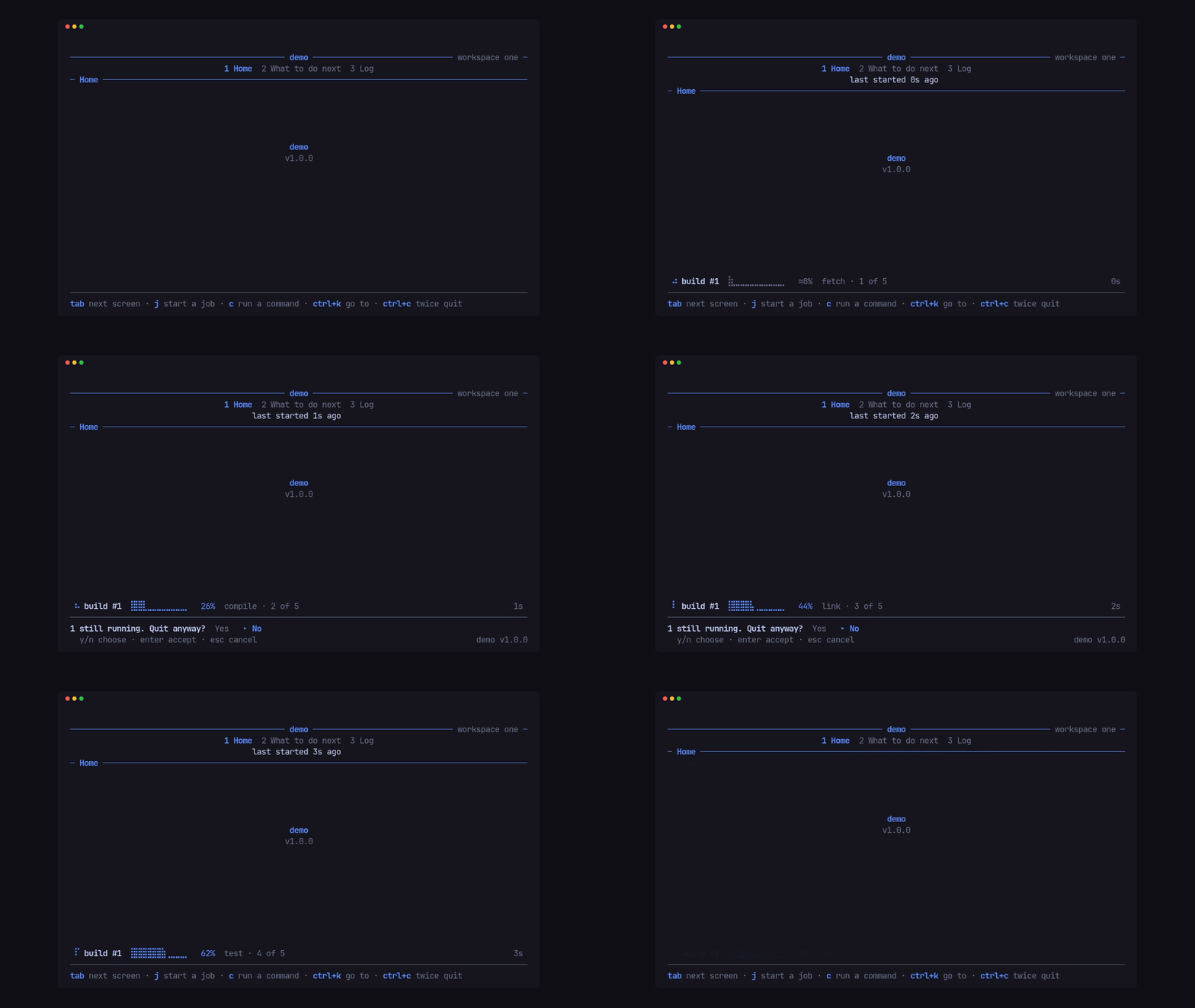
The quit guard
Section titled “The quit guard”One ctrl+c arms the guard and shows the app’s Words::again in the footer;
a second within 2 s quits. While any screen reports work in busy(), the
second asks first, in the app’s words:
let words = Words::new() .again("ctrl+c again to quit") .busy(|running| format!("{running} still running. Quit anyway?")) .yes("Yes") .no("No") .choose("y/n choose · enter accept · esc cancel");$ demo --dump 80x12 --keys "ctrl+c" ──────────────────────────────────── demo ──────────────────── workspace one ─ 1 Home 2 What to do next 3 Log ─ Home ───────────────────────────────────────────────────────────────────────
demo v1.0.0
────────────────────────────────────────────────────────────────────────────── tab next screen · j start a job · c run a command · ctrl+c twice quit ctrl+c again to quitThe builder tunes it: quit(Mode) (ask while busy by default),
quit_window(Duration), quit_keys(&[..]), quit_sticky(true) to keep the
armed guard through other keys until it lapses, quit_tone(..) and
quit_hints(false) to hide the hints while it is armed.
The order every key goes through
Section titled “The order every key goes through”So layers never fight over a key, each key goes through one fixed order:
- a key release is ignored;
- the quit guard;
- a takeover, which hears only its cancel keys;
- the modal on top;
- an open confirm (unless the key is in
Tui::through_keys, which reacheson_keyand the screen with the confirm left open); - an open pick;
- the app slot’s
claim; - a gate, which takes every other key;
- a screen that is typing into an input;
- the help toggle (
?); - the header’s focus keys, and its arrows while a header row has focus;
- the keys that open an overlay (the activity screen or the app’s own);
- the nav keys, the group keys and the number keys;
- the stop key while a screen loads;
- the app’s own keys (
on_key); - the screen’s
key.
Cx::key() tells a callback which key led to it, so back knows esc from
q.
App-wide keys
Section titled “App-wide keys”Tui::on_key sees a key before the screen does and returns true to take
it. The demo’s a cycles the accent from anywhere:
let mut accent = 0;Tui::new("demo", VERSION, ACCENTS[accent]).on_key(move |key, cx| { if key.code != KeyCode::Char('a') { return false; } accent = (accent + 1) % ACCENTS.len(); cx.palette(Palette::new(ACCENTS[accent])); true})For keys that must win over a gate or a typing screen, use the app slot’s
claim (Screens, tabs and the header).
Typing into an input
Section titled “Typing into an input”A screen that takes text returns true from typing() and its input bar
from input(); while it types, the nav and help keys reach it as text. A
bracketed paste arrives in paste.
fn key(&mut self, key: KeyEvent, cx: &mut Cx<'_, Msg>) {    if let Edit::Submit(value) = self.input.key(key.into()) {        self.input.clear();        cx.say(format!("Saved {value}"), footer::Tone::Good);    }}
fn paste(&mut self, text: &str, _cx: &mut Cx<'_, Msg>) {    self.input.paste(text);}
fn typing(&self) -> bool {    true}
fn input(&self) -> Option<InputBar<'_>> {    Some(InputBar::new("Name", &self.input).placeholder("type a name"))}
Input and InputBar come from pito-footer, as pito_tui::footer; an
Input::new().masked(true) is a password field.
Next: Colours and words.