
pito-list
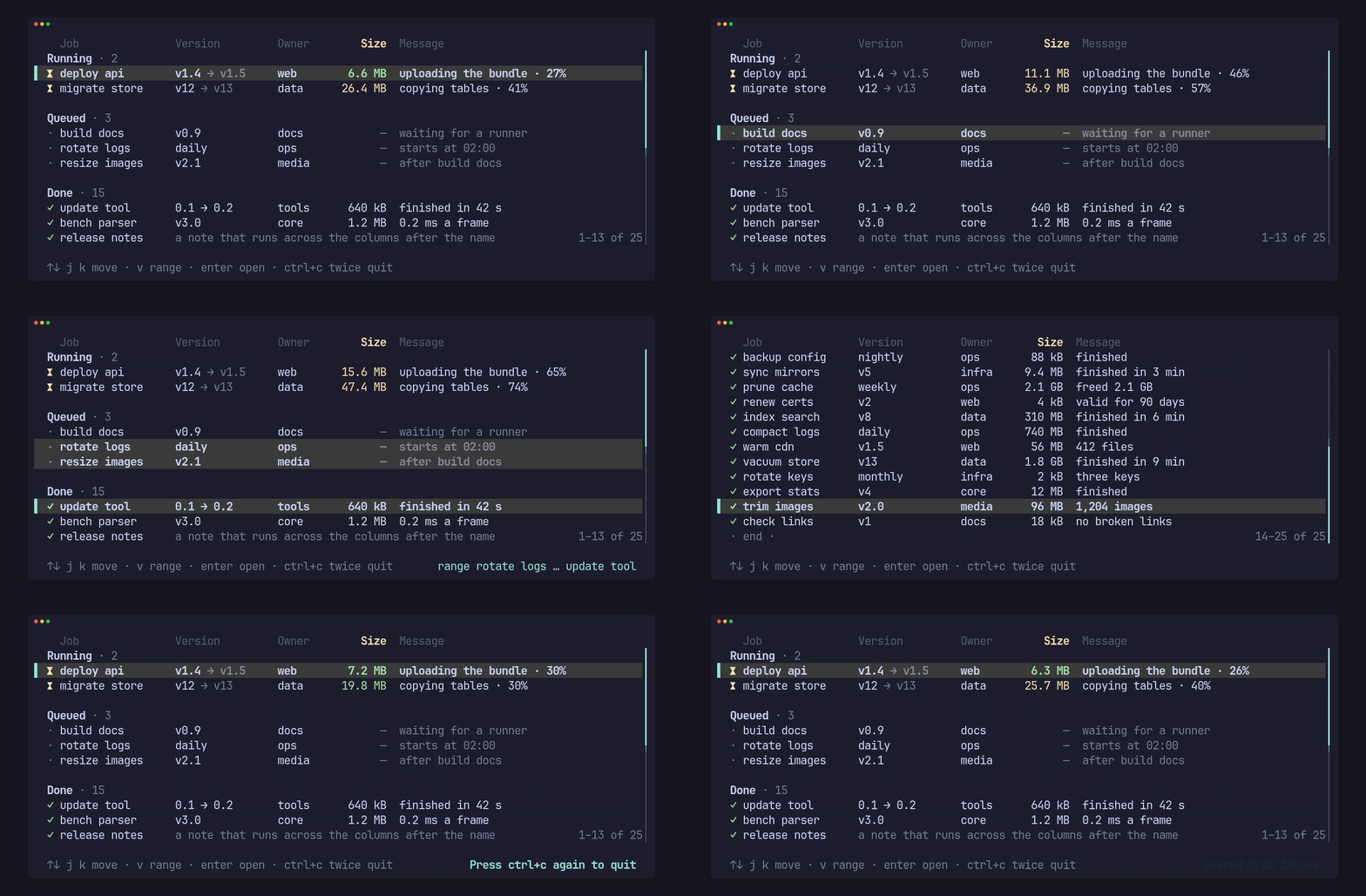
The list behind the PITO MD terminal apps, as a crate: selectable list rows for ratatui apps, in the style of HEY’s terminal UI. The selected row gets a bold “▌ “ marker, the columns pad to line up and drop by priority when the terminal narrows, and the list scrolls, pages, selects ranges and answers clicks. It has no words of its own: every word, style and key comes from your app, so any language works.
It is fast and stays fast as the list grows: about 0.3 ms a frame for a
20,000-row list at 150×40, the same for 100,000 items built on demand, and
zero heap allocations in a warm frame. Drawing the same 20,000 items, it
is 70× faster than a ratatui Table built from every row.
Works on Linux, Windows and macOS (CI-tested on all three).
At a glance
Section titled “At a glance”| Frame time, 20,000 owned rows, 150×40 | 289 µs mean |
| Frame time, 100,000 items built on demand | 292 µs mean (lazy, in groups), 354 µs (shared vector, scrollbar and count) |
| Heap allocations in a warm frame, owned rows | 0 (held by a counting-allocator test) |
Against ratatui 0.30 Table, 20,000 items |
309 µs vs 21,692 µs, 0 vs 260,062 allocations a frame |
| Source | 2,068 lines of Rust in src/ |
| Dependencies | 3: ratatui (no backend feature), unicode-width, unicode-segmentation; crossterm only with the crossterm feature |
| Cold release build of the library, all dependencies included | 47 s |
Measured once on 2026-10-14 on an AMD Ryzen 9 9950X under Linux, Rust 1.97.1,
release profile, with cargo run --release --example bench and
cargo run --release --example versus; the build time with
cargo build --release --lib into an empty target folder. Windows and macOS
are tested by CI but weren’t timed.
Where to go next
Section titled “Where to go next”- Install adds it to your app and runs the demo.
- Draw a list in your app is the first guide; the others each take one task, from columns and sections to 100,000 items.
- Every feature and the API has the whole API on one page, and the generated API reference every item.
- The changelog lists what each release changed.