
Make columns fit any width
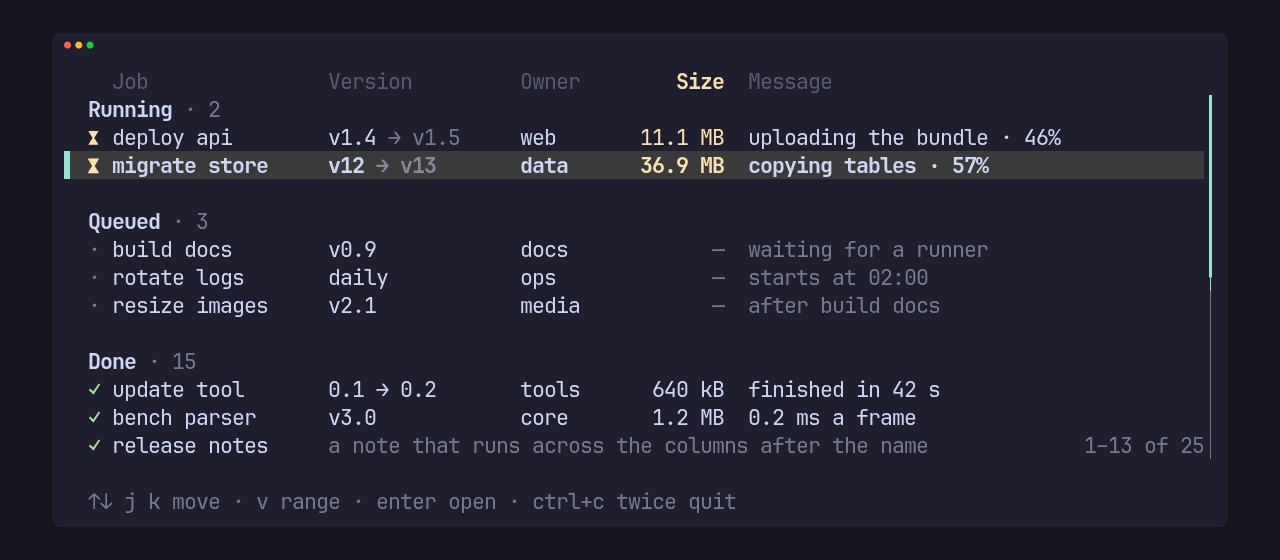
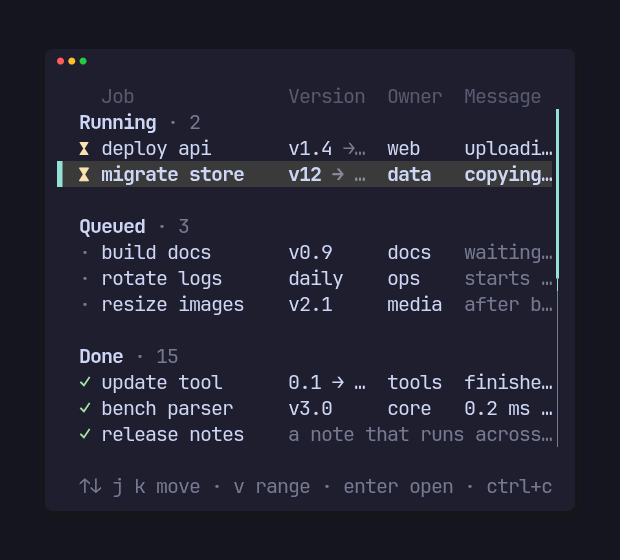
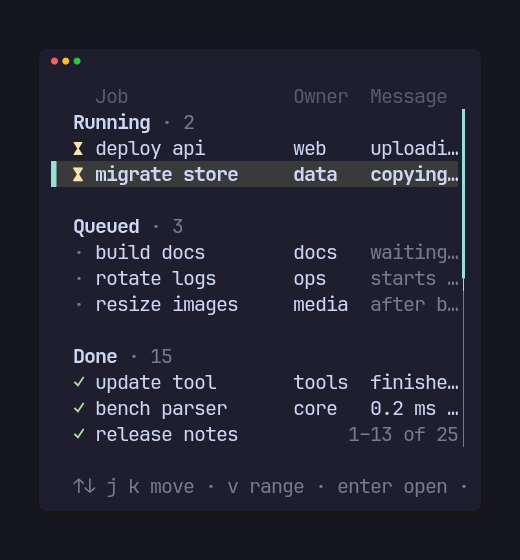
The same list at 46 and 38 columns: first Size drops, then Version, while Job and Owner stay and the message clips with “…”.
Minimum, preferred and priority
Section titled “Minimum, preferred and priority”Column::new(title, min, preferred) makes a column. Every column pads its
cells to its width so the rows line up, and a cell wider than it is clipped
with “…”. The widths are worked out at each draw:
- When the minimums don’t all fit, the column with the highest
priority(n)drops first (the later one on a tie). Apinned()column never drops. - A column that is kept never shrinks below its minimum.
- Spare width goes to the columns up to their preferred widths, left to right.
- The flexible column takes what’s left and is never dropped. It is the last
column unless another is marked
flex(), so number columns can follow a wide name.
use pito_list::{Column, List, ListView, Row};use ratatui::{buffer::Buffer, layout::Rect, widgets::Widget};
let columns = [    Column::new("Job", 10, 12).pinned(),    Column::new("Version", 7, 9).priority(2),    Column::new("Owner", 5, 6).priority(1),    Column::new("Size", 6, 0).priority(3).right(),    Column::new("Message", 8, 0),];let mut list = List::new().with_rows([    Row::new(["deploy api", "v1.4", "web", "12 MB", "uploading the bundle"]),    Row::new(["build docs", "v0.9", "docs", "640 kB", "waiting for a runner"]),]);for width in [64, 44, 36] {    let area = Rect::new(0, 0, width, 3);    let mut buffer = Buffer::empty(area);    ListView::new(&mut list, &columns).header(true).render(area, &mut buffer);}
At 64, 44 and 36 cells, Size drops first (priority 3), then Version (priority 2), while Owner (priority 1) stays:
  Job           Version    Owner     Size  Message▌ deploy api    v1.4       web      12 MB  uploading the bundle  build docs    v0.9       docs    640 kB  waiting for a runner
  Job           Version    Owner   Message▌ deploy api    v1.4       web     uploadin…  build docs    v0.9       docs    waiting …
  Job           Owner   Message▌ deploy api    web     uploading t…  build docs    docs    waiting for…
right() aligns a column’s cells and title to its right edge, for numbers.
gap(n) on the ListView sets the space between columns (2 by default), and
cursor(text) the marker in front of the selected row (“▌ “ by default).
Columns as wide as their cells
Section titled “Columns as wide as their cells”fit(max) makes a column as wide as its widest cell among the rows on
screen, and its title when the header is drawn, up to max. That width
stands in for the preferred one, so the column still keeps its minimum and
drops by its priority. Only the rows on screen are measured, so the width
follows the view as the list scrolls.
A cell across the columns after it
Section titled “A cell across the columns after it”Cell::new(text).rest() draws a cell from its column to the end of the row
as one clipped cell, over the columns after it, for a note on a row that has
no values for them. It takes its column’s alignment and drops with its
column (pin the column to keep it).
Where the columns were drawn
Section titled “Where the columns were drawn”After a draw, List::columns() lists each column drawn as
(column index, x, width) in terminal cells, left to right; a dropped column
is absent. With List::top() it places a widget over one cell: row index
is on line area.y + header + index - top().
Widths are counted in terminal cells with Unicode widths, so diacritics, wide glyphs and “…” measure, pad and clip cleanly, and a wide glyph is never cut in half. A list draws inside its area only: beside a detail pane, it never writes over the pane.