
Show a scrollbar and a count
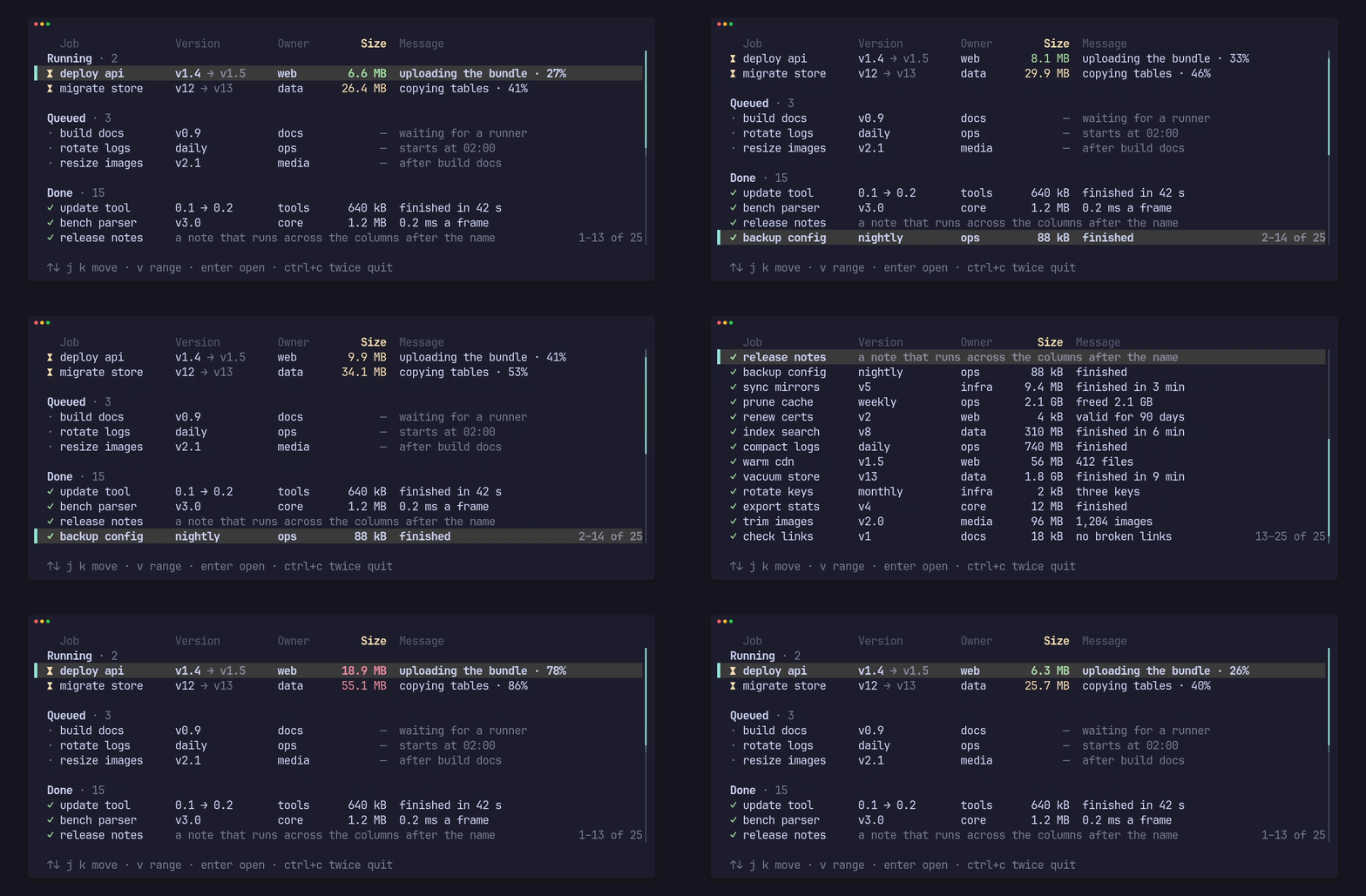
The view always keeps the selection in view. A scrollbar and a count of the rows on screen are opt-in, and both show only when the list overflows: a list that fits draws exactly as it would without them.
A scrollbar and a count
Section titled “A scrollbar and a count”ListView::scrollbar(Some(Bar::LINE)) draws a bar in the list’s last column,
beside the rows and under the header: a light “│” track and a heavy “┃”
thumb whose ends move by half a cell. ListView::count(Some(count)) writes
the first and last row on screen and the total, in your words:
Count::new("–", " of ") reads “4–9 of 40”, and .group(",") separates the
thousands (“1,693–1,701 of 3,400”).
use pito_list::{Bar, Column, Count, List, ListView, Row};use ratatui::{buffer::Buffer, layout::Rect, widgets::Widget};
let mut list = List::new().with_rows((1..=40).map(|n| Row::new([format!("item {n}")])));let columns = [Column::new("Item", 6, 0)];list.select(8);
let area = Rect::new(0, 0, 20, 7);let mut buffer = Buffer::empty(area);ListView::new(&mut list, &columns)    .scrollbar(Some(Bar::LINE))    .count(Some(Count::new("–", " of ")))    .render(area, &mut buffer);
assert_eq!(list.shown(), Some((4, 9, 40)));assert_eq!(list.position(), Some((9, 40)));
draws:
item 4 ╽ item 5 ╿ item 6 │ item 7 │ item 8 │▌ item 9 │ 4–9 of 40The bar takes the area’s last column beside the rows, and the rows stop one
cell short of it; here its thumb covers the lower half of one cell and the
upper half of the next, about the share of the 40 rows on screen. Bar::new(track, thumb) takes any single-cell glyphs, and
.halves(top, bottom) the two glyphs for a cell the thumb covers only half
of; without them the thumb moves by whole cells. The bar reads only the
length and the offset, so a list of 100,000 items built on demand builds no
row for it.
Where the count goes
Section titled “Where the count goes”With Place::Line, the default, the count takes the list’s bottom line and
right-aligns there, as above. With Count::new("–", " of ").place(Place::Foot)
it takes no line: it sits at the right end of the last line, beside the
bar’s foot, only when it fits after what that line shows, so it shows beside
a short row or the end line and steps aside for a long one. The clip at the
top of this page uses Place::Foot.
A single row on screen reads “9 of 40”. A label longer than 128 bytes is not drawn: it is written into a small buffer on the stack, so drawing it allocates nothing.
Reading where the view is
Section titled “Reading where the view is”After a draw, List::shown() is the first and last row on screen and the
length, counted from 1 as a label reads, or None before the first draw and
for an empty list. List::position() is the selected row counted from 1 and
the length. An app that shows the count in its own footer formats it with
the same words through count.label(first, last, total), which is
Display:
use pito_list::Count;
const COUNT: Count = Count::new("–", " of ").group(",");assert_eq!(COUNT.label(23, 83, 1_340).to_string(), "23–83 of 1,340");assert_eq!(COUNT.label(12, 12, 340).to_string(), "12 of 340");
Both count lines, so section headings and blank lines count as rows; an app
that wants to count items only counts them from its own data. Draw the list
before the line that shows them, since shown() answers for the last draw.
The end line and an empty list
Section titled “The end line and an empty list”ListView::end(Some("· end ·")) adds a line after the last row that scrolls
in with it, and ListView::empty(Some("Nothing yet.")) is the line an empty
list draws. When one line is all the rows have, the selected row wins over
the end line.