
pito-hourglass
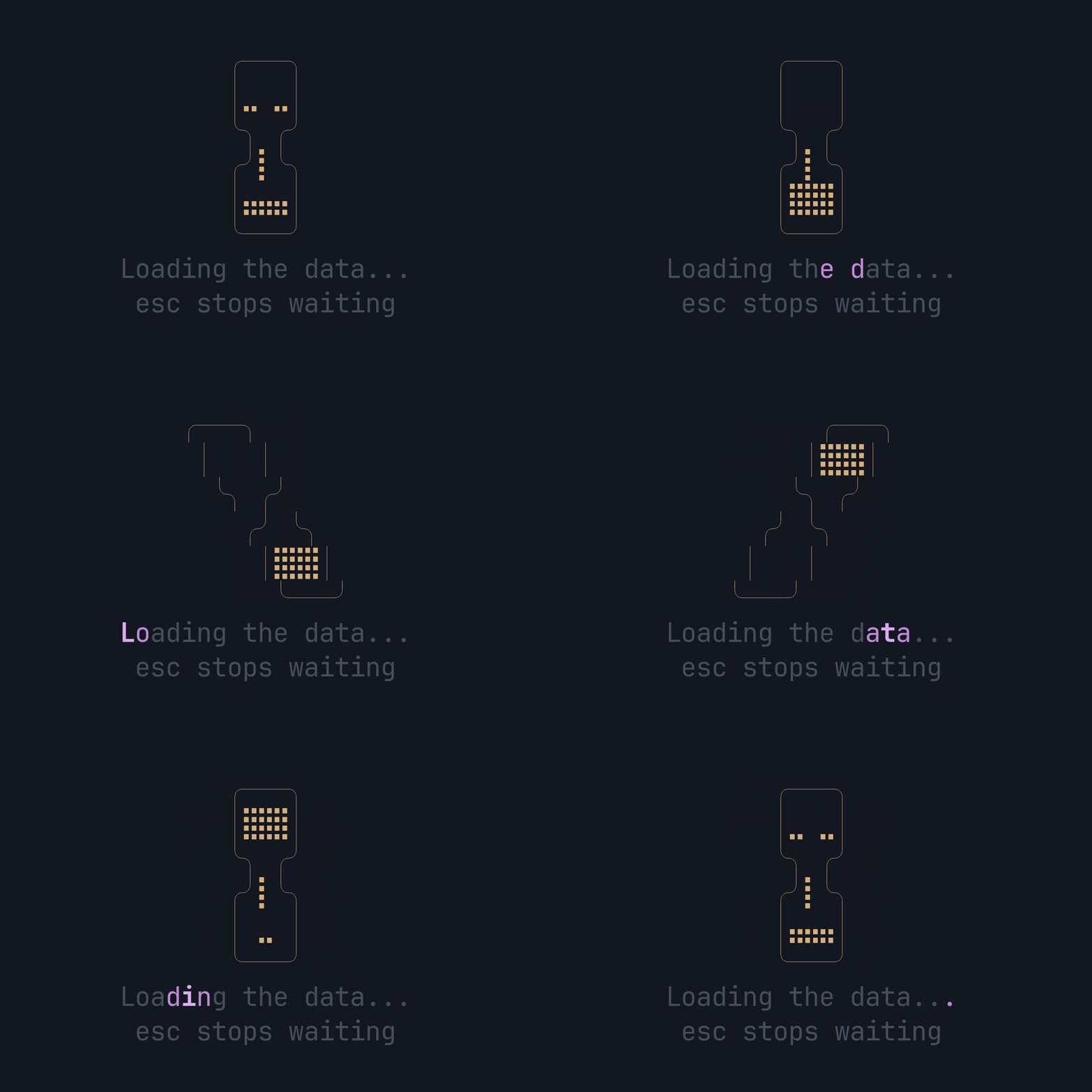
An hourglass for ratatui apps to show while data loads: HEY’s 13-frame Braille hourglass, the app’s copy (the label) shimmering under it in the app’s accent, and an optional hint under that. One widget, one call a frame. It’s part of PITO MD.
- 4.8 µs a draw with the glass, the label and the hint, under 0.03% of a 60 fps frame; 1.0 µs on a single row (how it’s measured).
- Zero allocations when it draws, held by a counting-allocator test on every CI run.
- No new crates for a ratatui app: its three dependencies (ratatui 0.30 with no default features, unicode-segmentation and unicode-width) are all already in ratatui’s own graph, and it brings no backend, so it sits beside whatever crossterm the app uses.
- Small: one 285-line source file and a 96-byte
Copywidget.
Works on Linux, Windows and macOS (CI-tested on all three).
Where to go
Section titled “Where to go”- Install: add the crate and draw the first hourglass.
- Show it while data loads: wire it into an app’s event loop.
- Your copy and your colours: the label, the hint and the three styles.
- Small areas: what it draws as the space shrinks.
- Frames and timing:
frame_at,band_at,CYCLEandFRAMES. - Performance: the draw time per area and how it’s measured.
- API reference: the
cargo docpages. - Changelog: every release.
The code is MIT licensed, by Catalin Ilinca. The PITO MD name and its logos are © Catalin Ilinca, all rights reserved, and are not covered by the MIT licence. The hourglass frames and their timing come from basecamp/hey-cli under its MIT licence.