
Install
pito-hourglass is a Rust library for ratatui 0.30 apps. It isn’t on crates.io; add it from its repository, pinned to a release tag.
Linux, Windows and macOS
Section titled “Linux, Windows and macOS”The same command works on all three, in any shell, from the app’s folder:
cargo add pito-hourglass --git https://github.com/gmrdad82/pito-hourglass --tag v1.0.1 Updating git repository `https://github.com/gmrdad82/pito-hourglass` Adding pito-hourglass (git) to dependenciesor by hand in Cargo.toml:
[dependencies]pito-hourglass = { git = "https://github.com/gmrdad82/pito-hourglass", tag = "v1.0.1" }ratatui = "0.30"It needs nothing else: no backend, no build script, no system library. Its dependencies (ratatui with no default features, unicode-segmentation and unicode-width) are already in a ratatui app’s graph.
Quick start
Section titled “Quick start”Keep the moment the wait started and draw the widget from the time since:
use std::time::Instant;
use pito_hourglass::Hourglass;use ratatui::{    Frame,    style::{Color, Modifier, Style},};
fn draw(frame: &mut Frame, started: Instant) {    let hourglass = Hourglass::new(started.elapsed())        .label("Loading the data...")        .hint(Some("esc stops waiting"))        .glass(Style::new().fg(Color::Yellow))        .accent(Style::new().fg(Color::Magenta))        .muted(Style::new().fg(Color::DarkGray).add_modifier(Modifier::DIM));    frame.render_widget(hourglass, frame.area());}
Redraw about every 50 ms while it shows; the picture depends only on the elapsed time.
Run the example
Section titled “Run the example”From a clone, the demo draws exactly that, full screen. Esc or q quits:
git clone https://github.com/gmrdad82/pito-hourglasscd pito-hourglasscargo run --example demo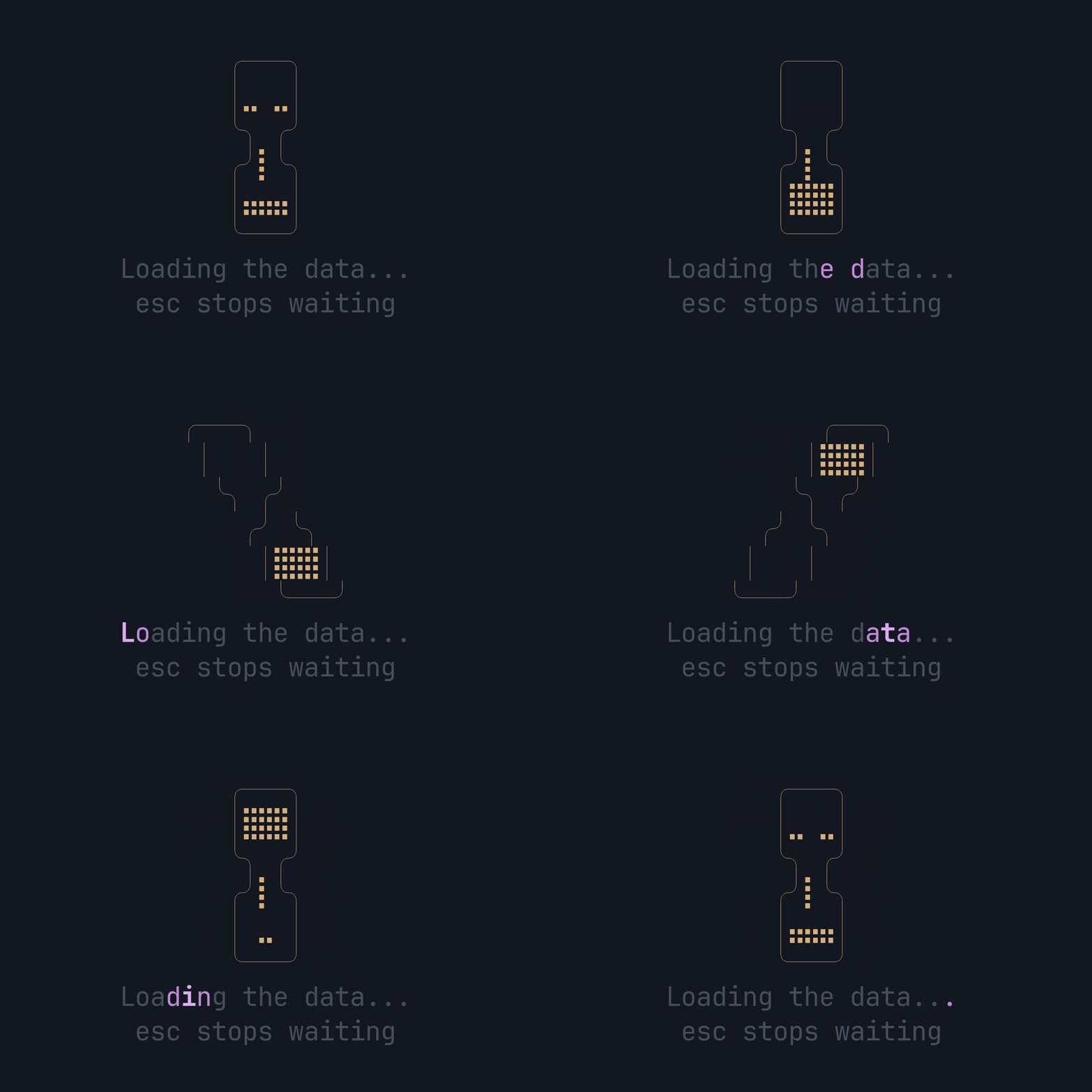
Next: show it while data loads.