Expand description
§pito-hourglass


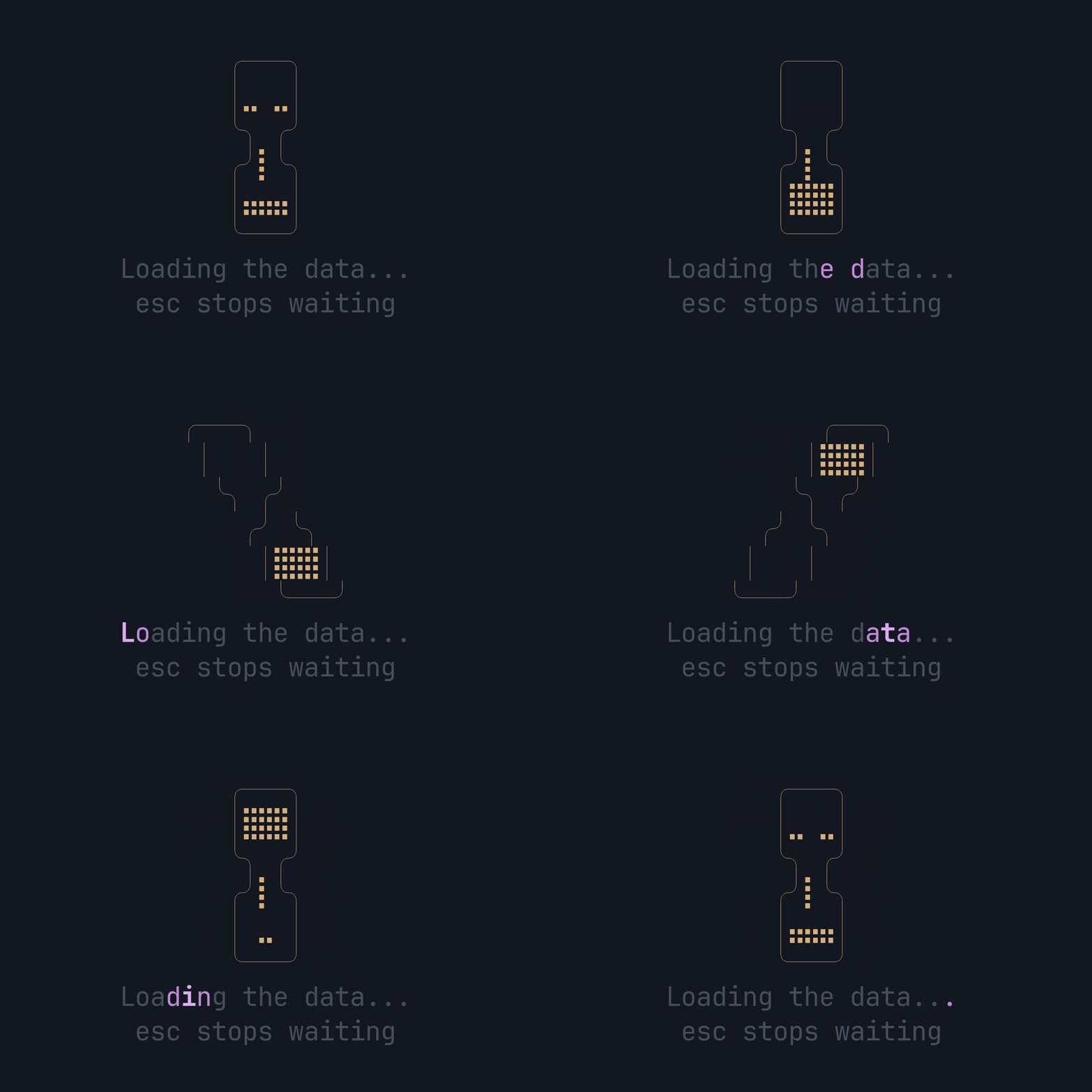
An hourglass for ratatui apps to show while data loads: HEY’s 13-frame Braille hourglass, the app’s copy (the label) shimmering under it in the app’s accent, and an optional hint under that. One widget, one call a frame. It’s part of PITO MD.
- 4.8 µs a draw with the glass, the label and the hint, under 0.03% of a 60 fps frame; 1.0 µs on a single row (how it’s measured).
- Zero allocations when it draws, held by a counting-allocator test on every CI run.
- No new crates for a ratatui app: its three dependencies (ratatui 0.30 with no default features, unicode-segmentation and unicode-width) are all already in ratatui’s own graph, and it brings no backend, so it sits beside whatever crossterm the app uses.
- Small: one 285-line source file, a 96-byte
Copywidget, and the crate builds in 1.4 s (release, once its dependencies are built).
Works on Linux, Windows and macOS (CI-tested on all three).
§Install and first use
It isn’t on crates.io; add it from this repository, pinned to a release tag. The same line works on Linux, Windows and macOS:
cargo add pito-hourglass --git https://github.com/gmrdad82/pito-hourglass --tag v1.0.1or by hand in Cargo.toml:
pito-hourglass = { git = "https://github.com/gmrdad82/pito-hourglass", tag = "v1.0.1" }Then draw it from the time the wait started:
use std::time::Instant;

use pito_hourglass::Hourglass;
use ratatui::{
    Frame,
    style::{Color, Modifier, Style},
};

fn draw(frame: &mut Frame, started: Instant) {
    let hourglass = Hourglass::new(started.elapsed())
        .label("Loading the data...")
        .hint(Some("esc stops waiting"))
        .glass(Style::new().fg(Color::Yellow))
        .accent(Style::new().fg(Color::Magenta))
        .muted(Style::new().fg(Color::DarkGray).add_modifier(Modifier::DIM));
    frame.render_widget(hourglass, frame.area());
}
Redraw about every 50 ms while it shows; the picture depends only on the elapsed time. That code is examples/demo.rs, the clip at the top of this page. From a clone, Esc or q quits:
cargo run --example demo§Your copy, your accent, any script
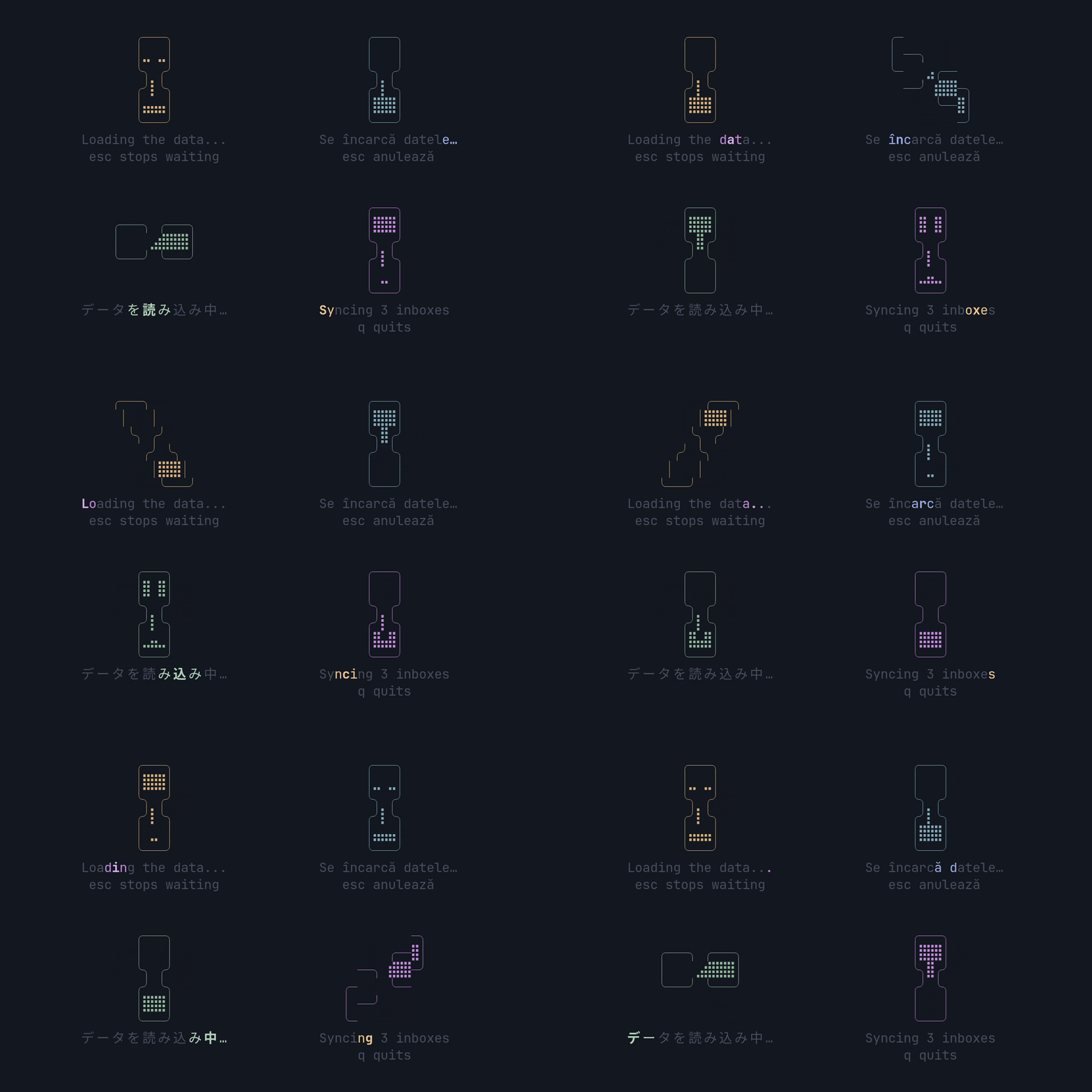
Every word and every style is the app’s: the label, the hint, the glass, the accent the label shimmers in and the muted colour of the rest. A three-character band sweeps across the label and pauses: its centre character is the accent plus bold, its two neighbours the accent, everything else muted. The hint never shimmers. Widths come from Unicode, so Romanian diacritics, “…” and two-cell CJK glyphs line up and centre exactly (examples/gallery.rs).
§Fits whatever space it gets
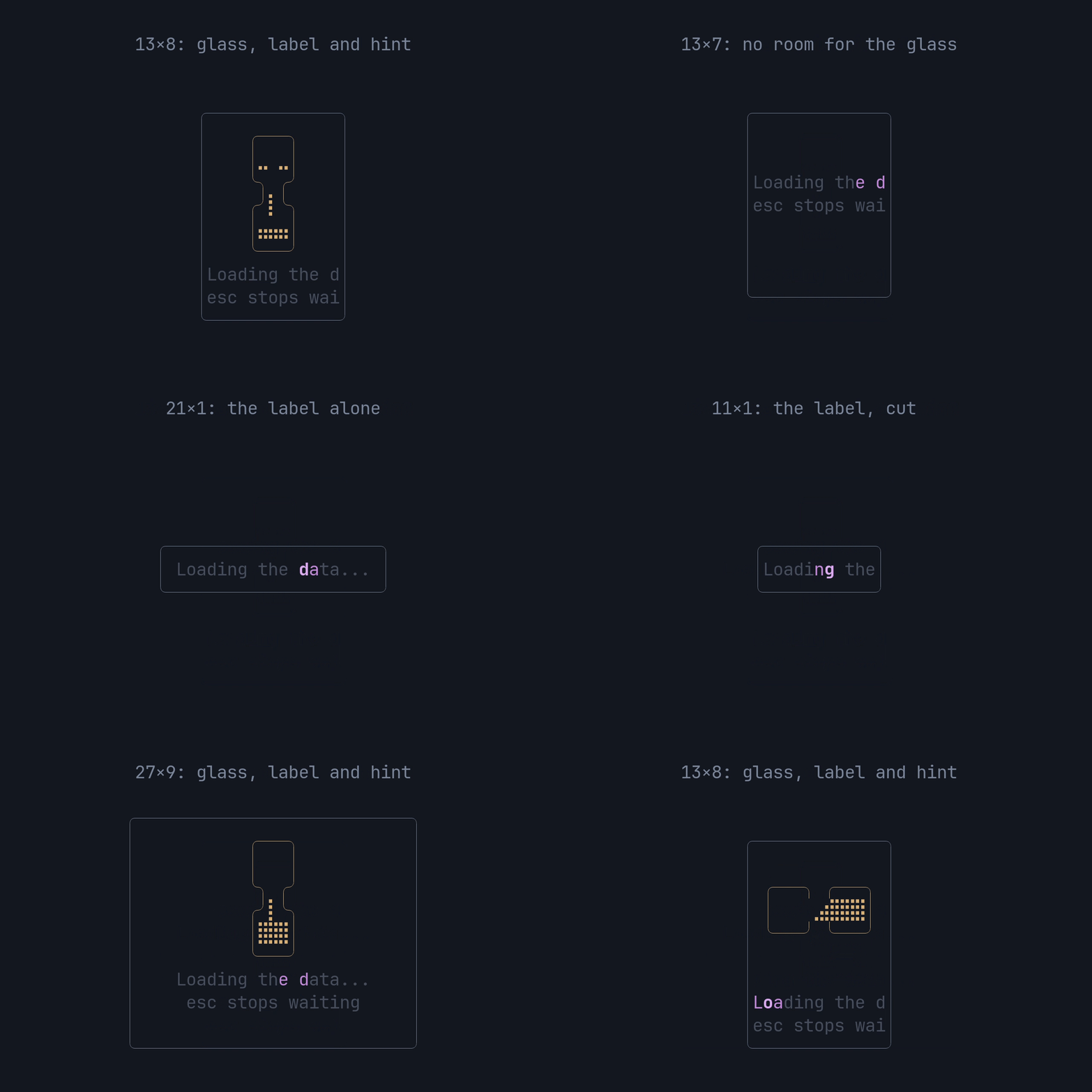
- Room for everything (at least 11 cells wide and 7 rows high, 8 with a hint): the glass, the label and the hint are centred as one block.
- Less room: the glass goes and the shimmering label stays, centred, with the hint on the next row when there is a second row.
- Long copy is cut at a character, never mid-glyph (a combining mark rides with its letter), and the band counts only the characters drawn, so a cut label still shimmers end to end.
- No room at all (a zero width or height): nothing is drawn.
The clip is examples/fit.rs.
§A picture of the time alone
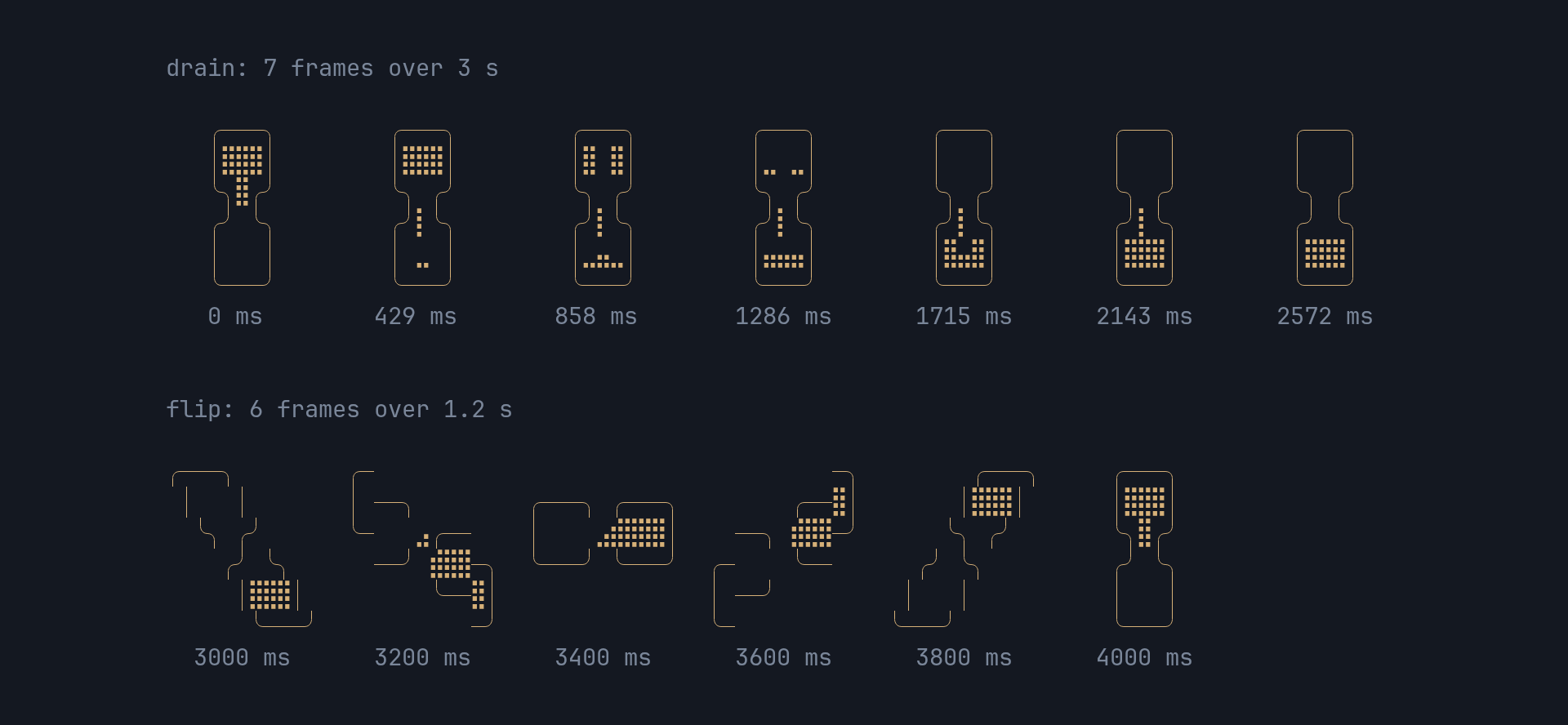
The frame and the band are pure functions of the elapsed time, so a redraw
at any moment lands on the same picture, and nothing keeps state between
frames. The still is examples/frames.rs, drawn with
frame_at itself.
frame_at(elapsed)   e = elapsed mod CYCLE (4200 ms)
                    e <  3000: frame = floor(e * 7 / 3000)            the 7 drain frames, ~430 ms each
                    e >= 3000: frame = 7 + floor((e - 3000) * 6 / 1200)  the 6 flip frames, 200 ms each

band_at(elapsed, n) t = elapsed mod 1500 ms
                    t <  1200: centre = floor(t * (n + 4) / 1200) - 2
                    t >= 1200: None, the pause
band_at returns the centre’s index into the n characters of the label,
and None whenever the centre is off the label (below 0, or at n or
beyond) and through the pause. The sweep starts two characters before the
label and ends two after it, so the band slides in and out.
§Fast and allocation-free
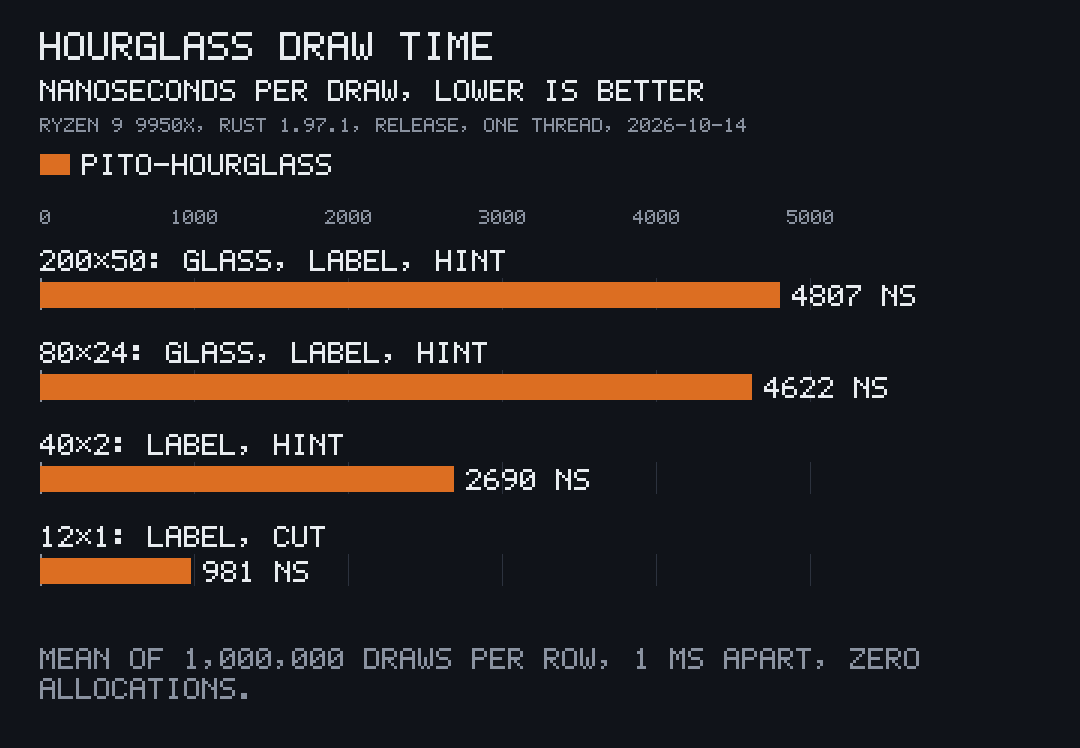
examples/bench.rs draws the widget into a ratatui
Buffer a million times per size, 1 ms of elapsed time apart (so every
frame and band position comes round), after a warm-up, and prints the mean
time per draw as pito-compare
data. Measured once, on 2026-10-14, on an AMD Ryzen 9 9950X with Rust
1.97.1, a release build on one thread; the chart’s machine line and note were
added to the printed data by hand (docs/images/draw-time.toml):
cargo run --release --example bench > draw-time.toml
pcmp draw-time.toml --out .| Area | What’s drawn | Per draw |
|---|---|---|
| 200×50 | glass, label, hint | 4.8 µs |
| 80×24 | glass, label, hint | 4.6 µs |
| 40×2 | label, hint | 2.7 µs |
| 12×1 | label, cut | 1.0 µs |
The time doesn’t grow with the area: only the glass’s 66 cells and the
label’s and hint’s characters are written. Drawing allocates nothing:
tests/allocation.rs counts every allocation through a global allocator
while 200 frames are drawn at six sizes, and holds the count at zero.
§The API
pub const WIDTH: u16;                    // 11, every frame's width
pub const GLASS_ROWS: u16;               // 6, every frame's height
pub const FRAMES: [[&str; 6]; 13];       // HEY's frames, verbatim
pub const CYCLE: Duration;               // one full turn, drain plus flip: 4.2 s
pub fn frame_at(elapsed: Duration) -> usize;
pub fn band_at(elapsed: Duration, n: usize) -> Option<usize>;

pub struct Hourglass<'a>;                // Widget, by value and by reference
impl<'a> Hourglass<'a> {
    pub fn new(elapsed: Duration) -> Self;
    pub fn label(self, label: &'a str) -> Self;        // the copy, "Loading..." until set
    pub fn hint(self, hint: Option<&'a str>) -> Self;  // e.g. Some("esc stops waiting")
    pub fn glass(self, style: Style) -> Self;          // the glass, per state if the app likes
    pub fn accent(self, style: Style) -> Self;         // the shimmer, the TUI's accent
    pub fn muted(self, style: Style) -> Self;          // the label's base and the hint
}
The styles default to Style::new(). The centre of the band adds bold to the
accent style it’s given, and the neighbours use it as is.
§Part of PITO MD
pito-hourglass is one of the terminal pieces of PITO MD. pito-tui, the app shell for PITO MD terminal apps, brings it in beside pito-header, pito-footer and pito-list. The clips on this page are recorded with prec and made GIFs with pconv, and the chart is drawn by pito-compare.
§Development
bin/gate runs cargo fmt --check, cargo clippy --all-targets -- -D warnings, the tests with cargo nextest run and the doctests with cargo test --doc (the tests render through ratatui’s TestBackend, a counting
allocator holds that drawing allocates nothing, and this README’s example
compiles as a doctest). Nothing in it is slow, so bin/gate --fast is the
same gate. CI runs it, then a release build, on Linux, Windows and macOS for
every push and pull request, and nightly on main.
The clips and the still are the examples recorded with prec from
render/terminal.toml.
bin/docs-bundle builds docs-vX.Y.Z.tar.gz, this crate’s section of
docs.pitomd.com: the guides in
docs/site/, the cargo doc API reference, the changelog and the images.
The release workflow attaches it to every tag’s GitHub Release.
§Contributing
Issues and pull requests are welcome. Please read the
code of conduct first. A change keeps bin/gate green
with no warnings, draws without allocating, keeps the picture a function of
the elapsed time alone, and leaves every word and style to the app. Report a
security issue privately, as SECURITY.md says, not in a public
issue.
§Licence
The code is MIT licensed, by Catalin Ilinca: see LICENSE. The PITO MD name and its logos are © Catalin Ilinca, all rights reserved, and are not covered by the MIT licence; see TRADEMARKS.md. The images in docs/images/ are under the MIT licence like the code. The hourglass frames and their timing come from basecamp/hey-cli under its MIT licence; see NOTICE.md.