
Groups and numbered sections
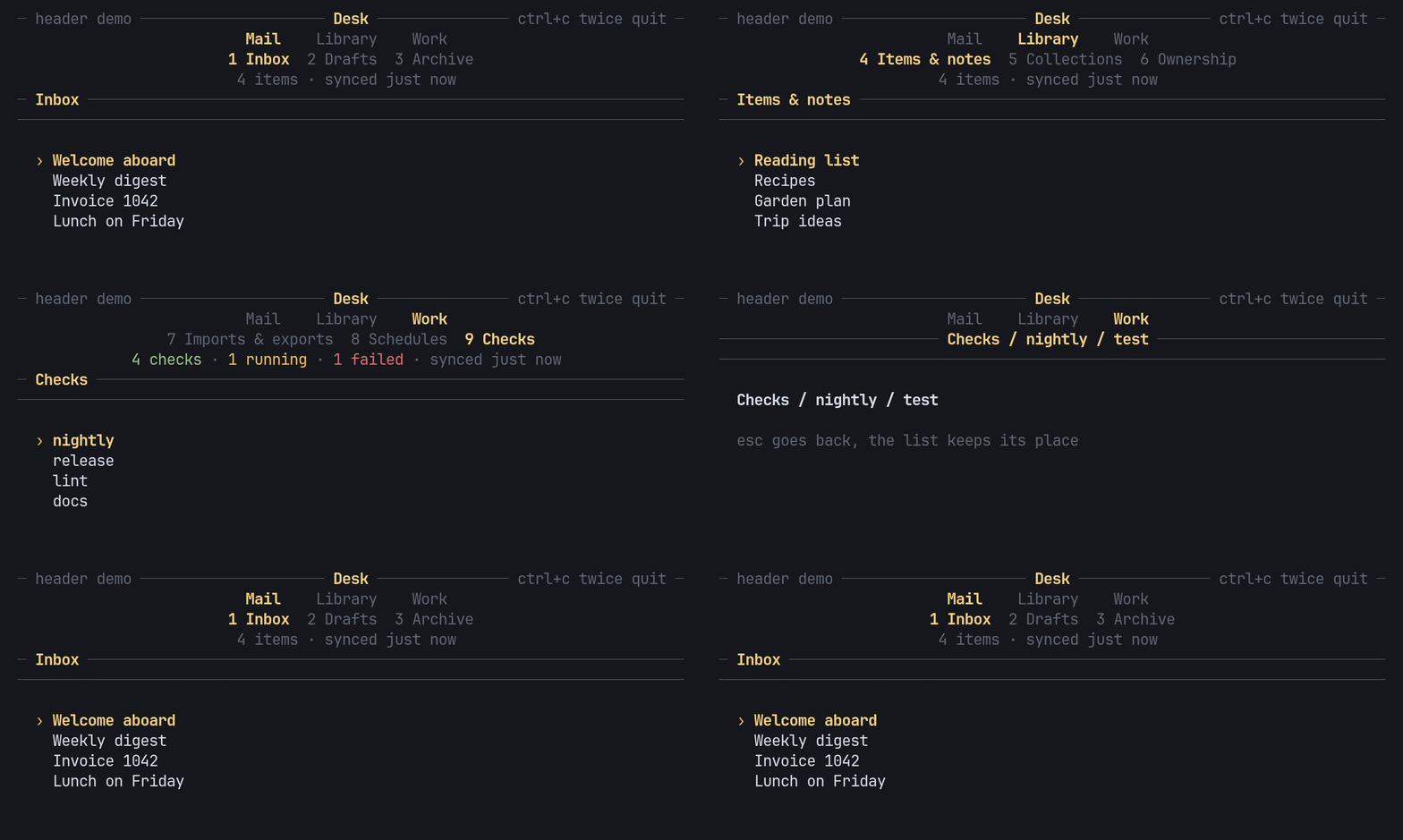
A Nav is a list of groups, each holding sections. The header draws the
groups on one row and the current group’s sections on the row under it,
centred, with the current one in the accent and bold.
Build the nav
Section titled “Build the nav”use pito_header::{Group, Nav, Section};
let nav = Nav::new(vec![ Group::new("Mail") .section(Section::new("Inbox")) .section(Section::new("Drafts")), Group::new("Library") .short("Lib") .section(Section::new("Items & notes").short("Items")), Group::new("Work").section(Section::new("Checks")),]);Names are &'static str or String. short gives the name a row falls back
to when the width runs out; see Fit any width.
Numbers run across every group
Section titled “Numbers run across every group”Sections are numbered 1, 2, 3… across all groups, so above Inbox is 1,
Drafts 2, Items & notes 3 and Checks 4. A digit key jumps anywhere, and 0
is the tenth.
use pito_header::{Group, Nav, Section};
let mut nav = Nav::new(vec![    Group::new("Mail").section(Section::new("Inbox")).section(Section::new("Drafts")),    Group::new("Work").section(Section::new("Checks")),]);let place = nav.go(3).unwrap();assert_eq!((place.group, place.section, place.number), (1, 0, 3));assert_eq!(nav.count(), 3);assert_eq!(nav.go(4), None);
place() answers where the nav is: the group and section indexes, from 0,
and the section’s number, from 1 (0 when the current group has no sections).
go(number) answers None for a number past the last section and leaves the
nav where it was.
Move by group or by section
Section titled “Move by group or by section”go_to(group, section)jumps to a section by its indexes.cycle(by)movesbygroups, forward or back, and wraps. Each group remembers its section, so coming back to a group lands where you left it. It counts only groups that have sections, and answersNonewhen there is no other group to go to.step(by)movesbysections within the current group, and wraps.cycle(0)andstep(0)stay where they are and answer the place.selected(group)reads the section any group remembers, so the app can jump to a group at its remembered section withgo_to.
use pito_header::{Group, Nav, Section};
let mut nav = Nav::new(vec![    Group::new("Mail").section(Section::new("Inbox")).section(Section::new("Drafts")),    Group::new("Work").section(Section::new("Checks")),]);nav.go(2);nav.cycle(1);assert_eq!(nav.place().number, 3);nav.cycle(1);assert_eq!(nav.place().number, 2);assert_eq!(nav.selected(0), Some(1));
Draw it
Section titled “Draw it”Header::new(&nav) draws the groups and sections rows, and any other rows
you give it (Add title, facts and notice rows). To draw the nav
rows alone, use NavBar::new(&nav), or nav.bar():
use pito_header::{Nav, NavBar};use ratatui::{Frame, layout::Rect};
fn draw(frame: &mut Frame, nav: &Nav) {    let bar = NavBar::new(nav).underline(true);    let area = frame.area();    frame.render_widget(bar, Rect { height: bar.height(), ..area });}
NavBar::groups(false) hides the groups row, underline(true) underlines
the section numbers, and lit(false) keeps the group lit but dims the
current section, for a page that sits over every section, such as help or
settings. Header takes underline and lit too, and Header::tabs(false)
leaves the nav rows out, for a page that shows only the header’s other rows.
Next: Map keys to moves.