
Fit any width
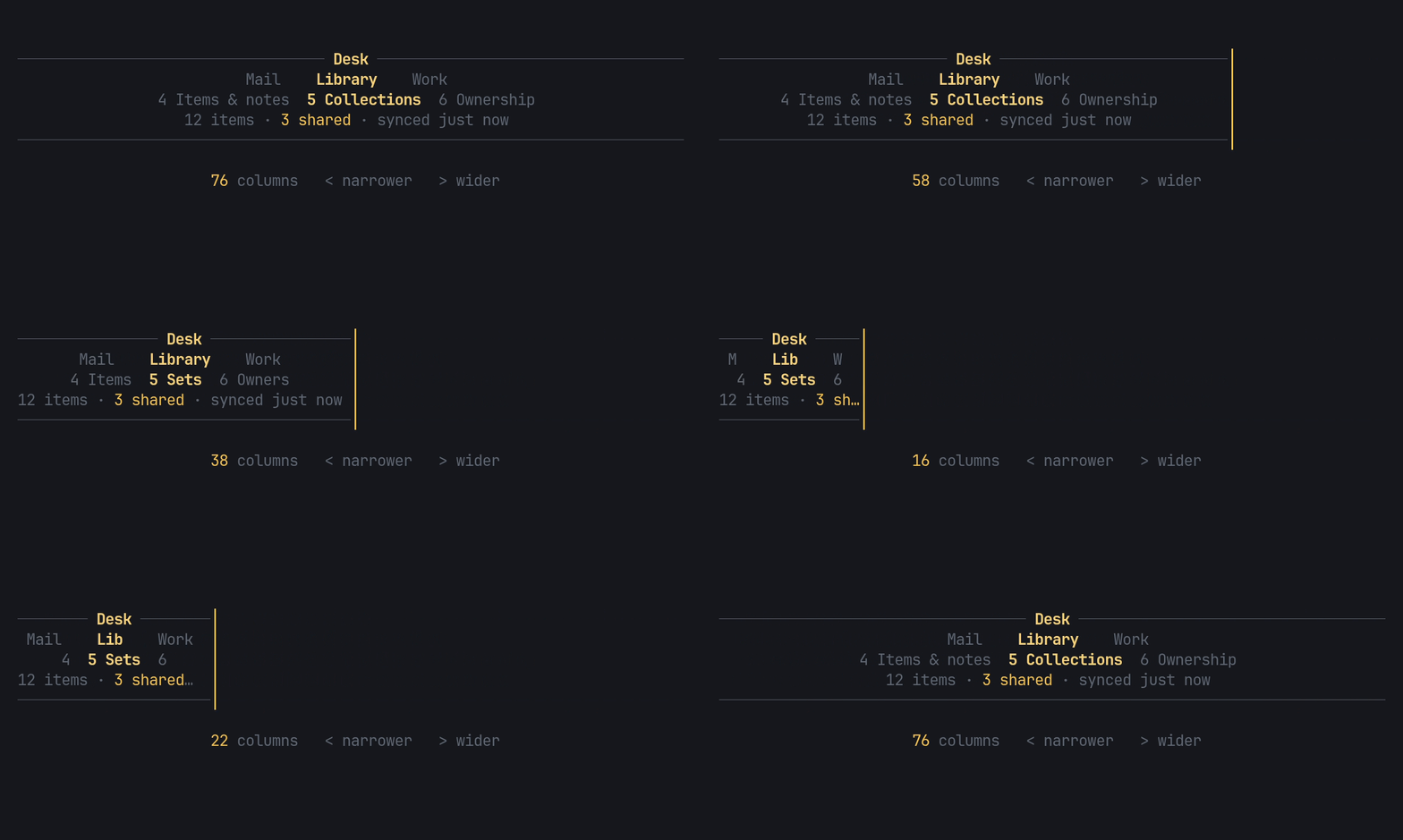
The header never wraps and never needs a layout from the app. When the width runs out, each row abbreviates step by step:
- Every section by its full name.
- Every section by its short name.
- Only the current section named, the others by number.
- Numbers only.
The groups row falls back the same way: full names, then each group’s short name, then its first letter. Facts elide with “…”, and the title’s side slots drop before the title does.
Give it short names
Section titled “Give it short names”A section or group with no short keeps its full name at the second step,
so give the long ones a short form:
use pito_header::{Group, Nav, Section};
let nav = Nav::new(vec![    Group::new("Library")        .short("Lib")        .section(Section::new("Items & notes").short("Items"))        .section(Section::new("Collections").short("Sets")),    Group::new("Work")        .section(Section::new("Imports & exports").short("Imports")),]);assert_eq!(nav.groups()[0].sections()[0].short_name(), "Items");
short_name() answers the full name when there is no short one.
Unicode widths
Section titled “Unicode widths”Widths are measured per terminal cell with Unicode widths and grapheme clusters, so names with diacritics (ă, î, ș, ț), “…” and wide glyphs clip cleanly, never in the middle of a character. A newline, tab or carriage return inside a text is drawn as one space, and one at either end is dropped, so a multi-line message reads as one line.
Watch it
Section titled “Watch it”The clip above is examples/fit.rs. Run it from a clone of the repository:
cargo run --example fit --features crossterm< or left narrows the header two columns at a time, > or right widens
it, and ctrl+c quits.