
Draw single bars
When there is nothing to compare, such as build times per platform for one release, name a single party. pcmp then draws single bars.
Write the data
Section titled “Write the data”title = "COLD BUILD TIME"unit = "SECONDS"better = "lower"subtitle = "SAMPLE DATA, RELEASE PROFILE"date = "2026-10-11"suffix = " S"decimals = 0notes = ["SAMPLE DATA FOR THIS README: ONE PARTY DRAWS AS SINGLE BARS."]
[[parties]]name = "RELEASE BUILD"
[[groups]]name = "LINUX X86_64"rows = [{ label = "LIBRARY", values = [38] }, { label = "COMMAND", values = [52] }]
[[groups]]name = "WINDOWS X86_64"rows = [{ label = "LIBRARY", values = [61] }, { label = "COMMAND", values = [84] }]
[[groups]]name = "MACOS ARM64"rows = [{ label = "LIBRARY", values = [29] }, { label = "COMMAND", values = [41] }]decimals = 0 writes every value as a whole number. By default a value below 100 gets one decimal and one from 100 up gets none.
Draw it
Section titled “Draw it”$ pcmp build.tomlbuild-bars.png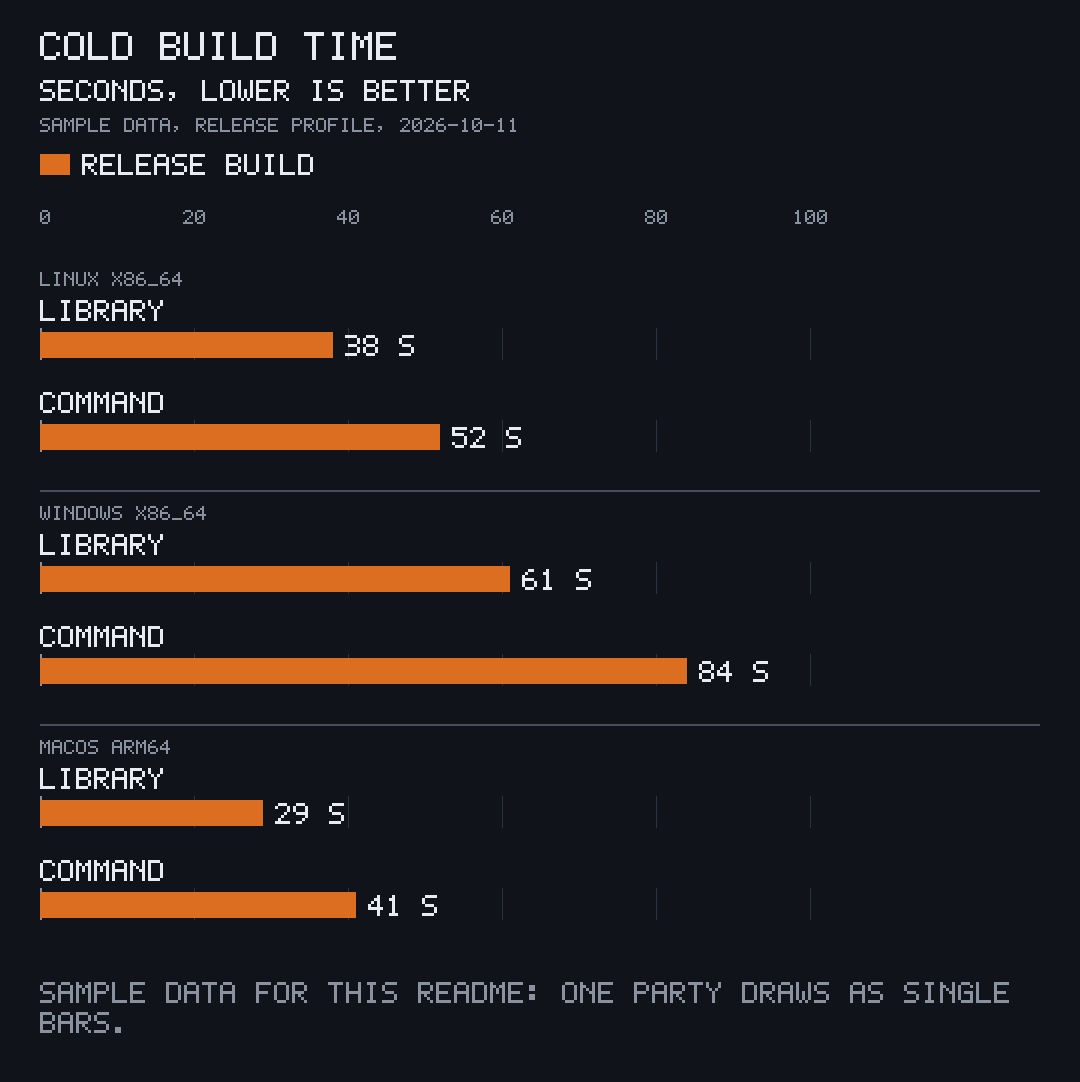
One chart per party
Section titled “One chart per party”--kind bars on data with several parties draws each party alone, named after the party:
$ pcmp speed.toml --kind bars --out chartscharts/speed-bars-parser-v2.pngcharts/speed-bars-parser-v1.pngA party’s name becomes lower case with dashes in the file name. A name with no letters or digits, or one that another party already took, is numbered by its place among the parties instead, such as speed-bars-2.png for the second.