
Make a GIF
prec writes masters: a clip is one silent H.264 file at CRF 14, larger and sharper than a page needs. Make the delivery from it with pconv or ffmpeg.
With pconv
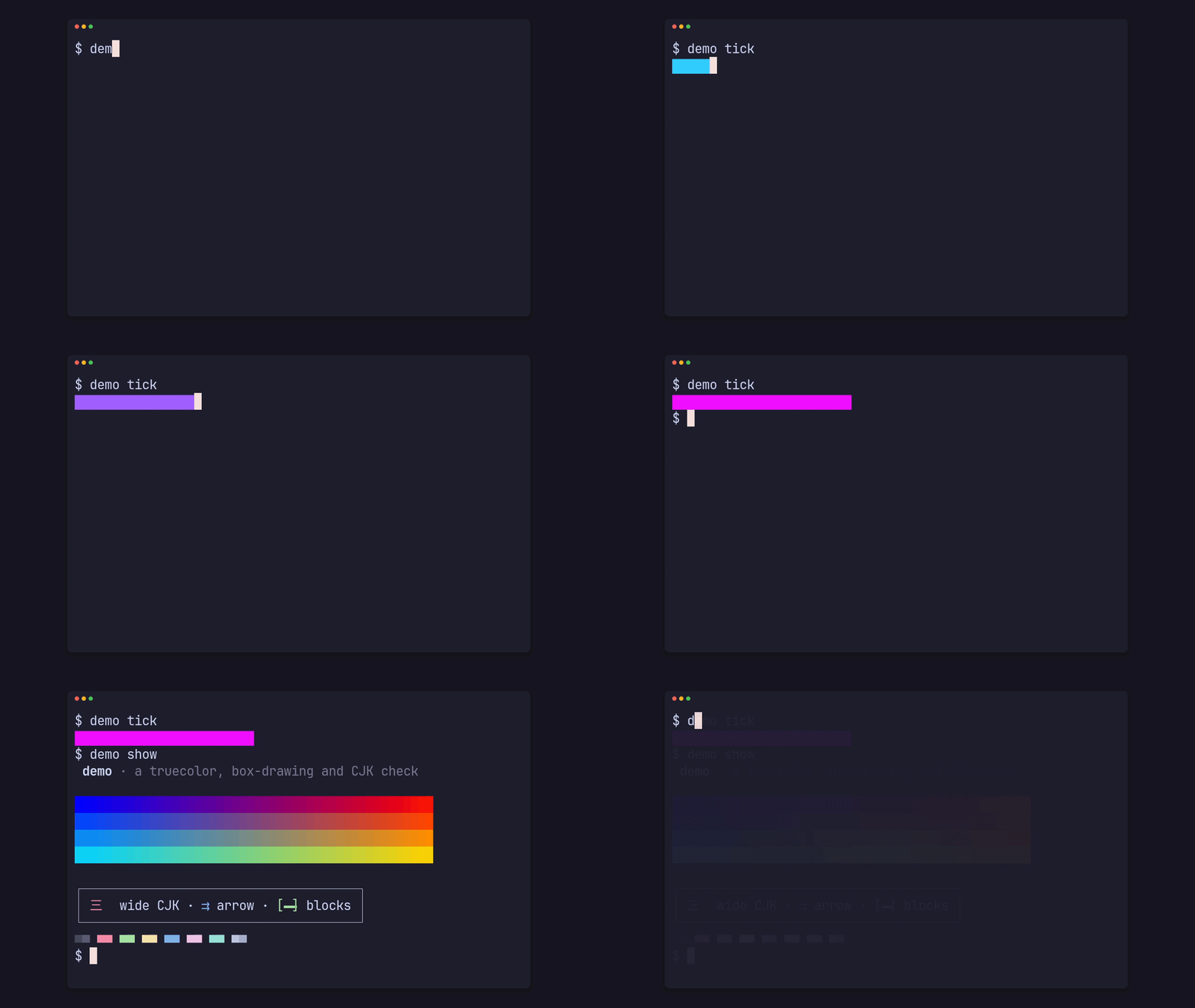
Section titled “With pconv”prec clip demo typing --app-dir examples/demo --size 720p --fps 30pconv tmp/renders/demo/clip/demo-clip-typing-1280x720-30fps.master.mp4 demo.gif --size 1280 --fps 15That is how the clip below was made: recorded at 1280x720 and 30 fps, made a 15 fps GIF at the same width.
Keep it small
Section titled “Keep it small”- Record at the size you will show:
--size 720pfor a GIF 1280 pixels wide, rather than a 4K master scaled down. - Halve the rate for a GIF: record at 30 fps and convert at 15.
- Shorten the tape before shrinking the width: a few seconds of the one thing to show.
- Give the shot a closure (
closure = { crossfade = 0.4 }or"palindrome", Frame, closure and poster) so the loop doesn’t jump. - Use
--frame barewhen the page already frames the clip.
Stills
Section titled “Stills”A still’s 8-bit PNGs are already deliveries; --web 800 adds an 800-pixel-wide copy and its @2x (Take a still).