Record your first clip
This page records the sample app that ships in prec’s repository and walks through what lands on disk. It needs prec and its prerequisites (Install).
Record
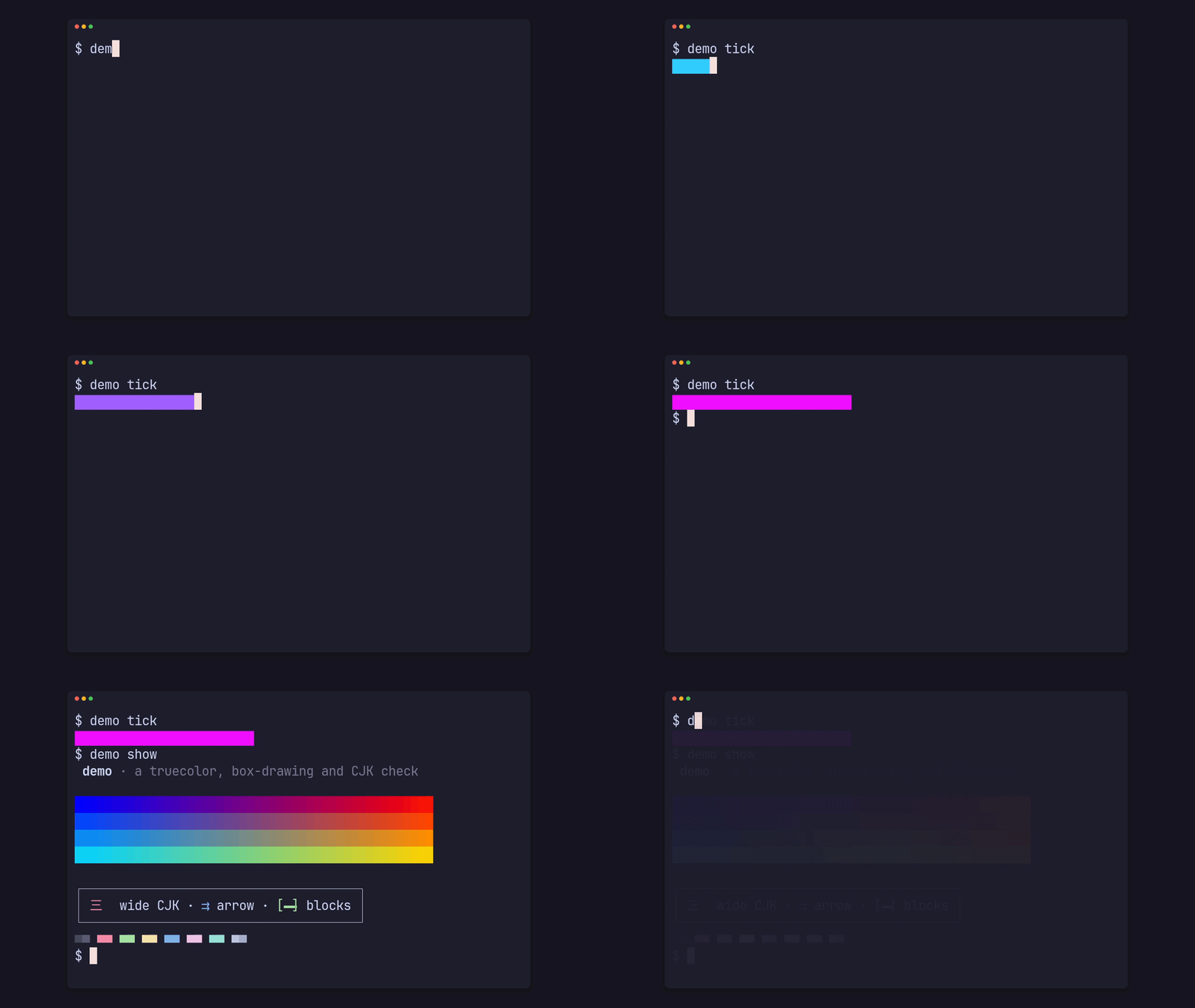
Section titled “Record”git clone https://github.com/gmrdad82/prec && cd precprec shots demo --app-dir examples/demodemo — grid 60x16, frame window, font JetBrainsMono Nerd Fontpalette still SHIPPED Truecolor gradient, box drawing and the CJK 三tour clip SHIPPED Ten seconds of typing, progress bars and the palette, for timing the enginestyping clip SHIPPED A command typed, a progress bar, then the paletteshots lists what the app’s render/terminal.toml declares: each shot’s name, kind, status and line. Record the typing clip at 720p and 30 fps:
prec clip demo typing --app-dir examples/demo --size 720p --fps 30recording demo typing in a 60x16 pty…recorded 3.80s shown, 284 events → tmp/prec/run/demo-clip-typing-cast-338683/demo-clip-typing.castreplaying demo typing: 114 frames at 1280x720@30…archive: skipped (unconfigured)tmp/renders/demo/clip/demo-clip-typing-1280x720-30fps.jsonprec ran the demo in a 60x16 pty, typed the tape into it and kept every output byte with its time (the cast), then replayed the cast in headless Chromium at exactly 1/30 s a frame and encoded the master. The last line is the manifest’s path; on a terminal, paths under the working folder print relative to it, and piped output keeps them absolute.
Without --size a render is 1080p, and without --fps a clip is 120 fps, unless the shot sets its own size or fps.
What it wrote
Section titled “What it wrote”tmp/renders/demo/clip/ demo-clip-typing-1280x720-30fps.cast 17,900 bytes demo-clip-typing-1280x720-30fps.json 5,308 bytes demo-clip-typing-1280x720-30fps.master.mp4 61,705 bytes demo-clip-typing-1280x720-30fps.poster.png 7,916 bytes.master.mp4is one silent x264 master at the render’s size and rate: CRF 14, 8-bit 4:2:0, BT.709 limited range, tagged. It is a master to make deliveries from, not a file to post as is; Make a GIF turns it into one..poster.pngis the clip’s first frame by default (Frame, closure and poster)..castis the recording, an asciicast v2 file. Render a cast again replays it at another size, rate or theme without the app..jsonis the manifest: what was rendered, from what, with which flags, and every file’s sha256.
The stem is <product>-<kind>-<shot>-<W>x<H>-<fps>fps; a theme other than the app’s own adds its slug before the size.
Read the manifest
Section titled “Read the manifest”jq '{version, seconds, frames, archive}' tmp/renders/demo/clip/demo-clip-typing-1280x720-30fps.json{ "version": "752c79cb16ab-dirty", "seconds": 7.5, "frames": { "captured": 46, "closure": { "crossfade": 0.4 }, "dropped": 0, "exact": true, "late": 0, "master": 102, "render_seconds": 7.4, "rendered": 114, "reused": 68, "seconds": 3.4, "shown_seconds": 3.801346 }, "archive": { "leaf": "prec/demo/typing/2026-10-14_210431_752c79cb16ab-dirty_manual", "reason": "unconfigured", "state": "skipped" }}versionnames the app’s revision: its tag, else the first 12 hex digits of its commit, with-dirtywhen the working tree has changes.frames.renderedis every frame of the shown time;capturedwere screenshots andreusedrepeated the previous frame because their moment brought no new bytes.droppedandlateare always 0.- The typing shot ends with a 0.4 s crossfade into its first frame, so the master holds 102 frames, 3.4 s.
archivesays why this render wasn’t archived: no archive root is configured (Archive renders).
Formats specifies every key.
A word before you publish a cast
Section titled “A word before you publish a cast”A cast holds the pty’s session byte for byte, including the hidden PATH and folder paths prec typed to set it up, and the manifest records absolute paths. The master and poster show only what the recording shows. Publish the master or a GIF made from it; read a cast before you share it.