
Edit a scene in place
SceneEdit edits a scene’s files in place. A changed value keeps its place, its neighbours, the comments and the number spelling, so a diff shows only what changed. An edit the checker would refuse is refused before anything is written.
From the command line
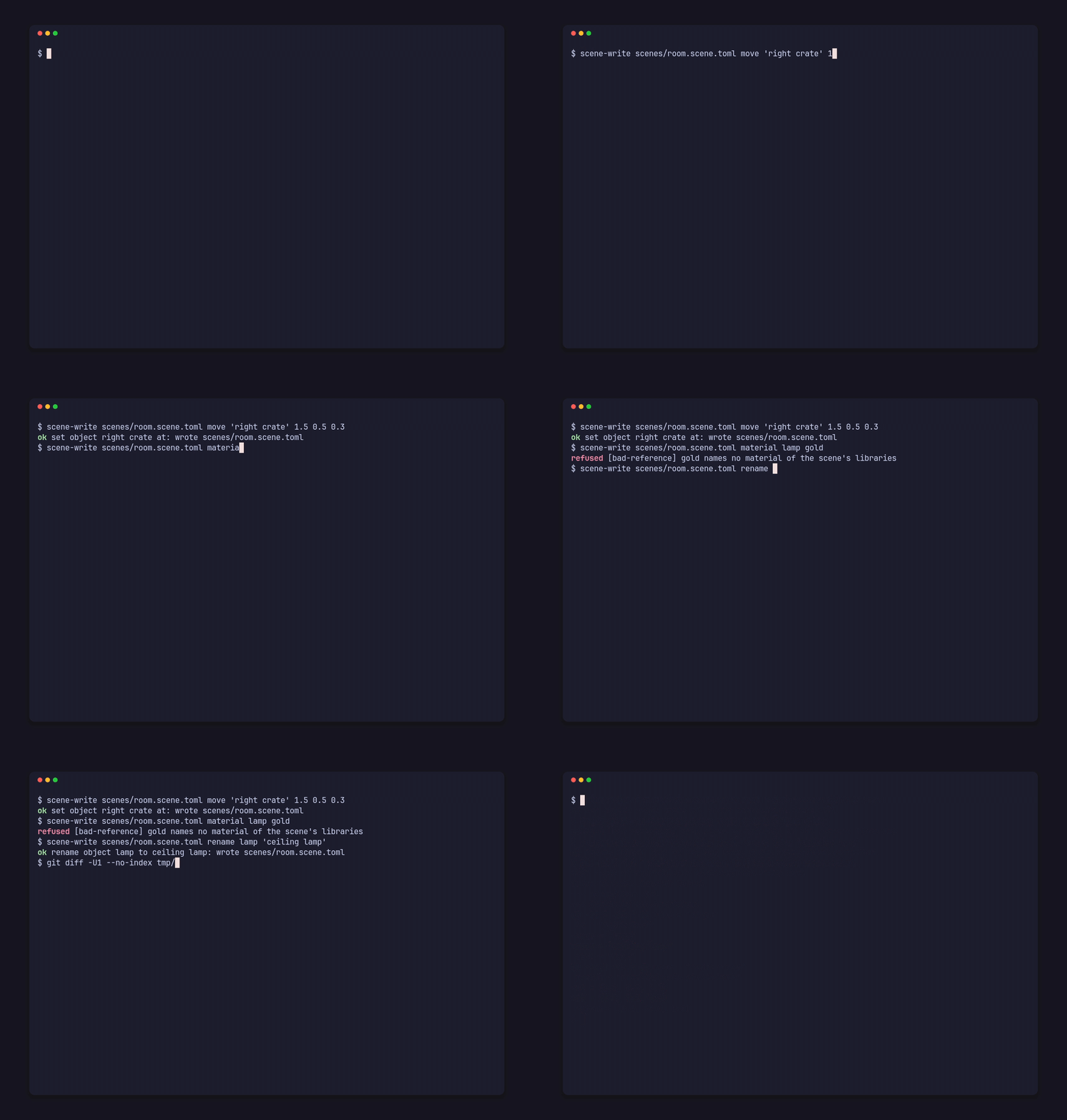
Section titled “From the command line”The scene-write example moves, renames or sets a material on an object. On a copy of the demo:
scene-write scenes/room.scene.toml move 'right crate' 1.5 0.5 0.3scene-write scenes/room.scene.toml material lamp goldscene-write scenes/room.scene.toml rename lamp 'ceiling lamp'ok set object right crate at: wrote scenes/room.scene.tomlrefused [bad-reference] gold names no material of the scene's librariesok rename object lamp to ceiling lamp: wrote scenes/room.scene.toml(Run it with cargo run --release --example scene-write -- … from the repository, or put target/release/examples on your PATH.) The demo’s library has no gold, so the second edit writes nothing and exits with 1. The file’s diff holds exactly the two changed lines:
@@ -25,3 +25,3 @@ id = "j66hkn5wx4"-name = "lamp"+name = "ceiling lamp" mesh = "ball"@@ -42,3 +42,3 @@ prefab = "prefabs/crate.prefab.toml"-at = [1.2, 0.5, 0.3]+at = [1.5, 0.5, 0.3] rotate = [0.0, 30.0, 0.0]From code
Section titled “From code”use pfx_scene::{SceneEdit, Target};
fn main() { let mut edit = SceneEdit::open("my-game/scenes/room.scene.toml").unwrap();
edit.set_at("right crate", [1.5, 0.5, 0.3]).unwrap(); edit.set(&Target::Light("bulb".into()), &["intensity"], 60.0f32).unwrap();
match edit.set_object_material("lamp", Some("gold")) { Ok(_) => {} Err(error) => eprintln!("refused [{}] {}", error.code, error.message), }
edit.undo().unwrap(); edit.redo().unwrap();}set,unsetandpushtake aTarget(an entry by id or unique name, such asTarget::Object,Target::Light,Target::Material, or a section such asTarget::SunorTarget::Camera) and a key path;removetakes a target. A number in the path picks an entry of a list, counting from 0.- Typed helpers cover an object’s keys (
set_at,set_rotate,set_scale,set_object_material,set_parent,set_hiddenand more), a mesh (add_mesh,set_node) and a material (set_material). add,add_materialandduplicate_objectmake new entries with the id you give, which must be free in the project.rename_objectfollows the name references to the object.- An entry placed by a prefab is edited through its placement’s
[object.set]. - A refused edit returns an
EditErrorwith the file, the line, the key, the code and the message; when a check refused it,diagnosticsholds every error with its column and related places.
Each edit writes through a temporary file and a rename, and is refused when the file changed on disk since it was read.
Undo steps and dry runs
Section titled “Undo steps and dry runs”Every edit returns a PatchGroup: a label and one patch per file it touched, with that file’s exact text before and after, so undo and redo bring the bytes back exactly. To make a drag one undo step, group its edits:
edit.begin("drag crate").unwrap();edit.set_at("right crate", [1.3, 0.5, 0.3]).unwrap();edit.set_at("right crate", [1.4, 0.5, 0.3]).unwrap();let step = edit.end();cancel() takes an open group back. dry_run runs edits on the texts in memory and returns their merged group without writing a file or touching the undo history; the group is checked as a whole, so a step may pass through a state that alone would be refused:
let group = edit.dry_run(|edit| edit.set_at("lamp", [0.0, 2.0, 0.0])).unwrap();let after = group.after();edit.apply(&group).unwrap();group.after() maps each file to its text after the group: pass it to Project::scene_with or check_with to run your own checks before writing. An editor with its own history can apply patch groups and their inverse() itself, or write one without an editor through PatchGroup::write.