
P99
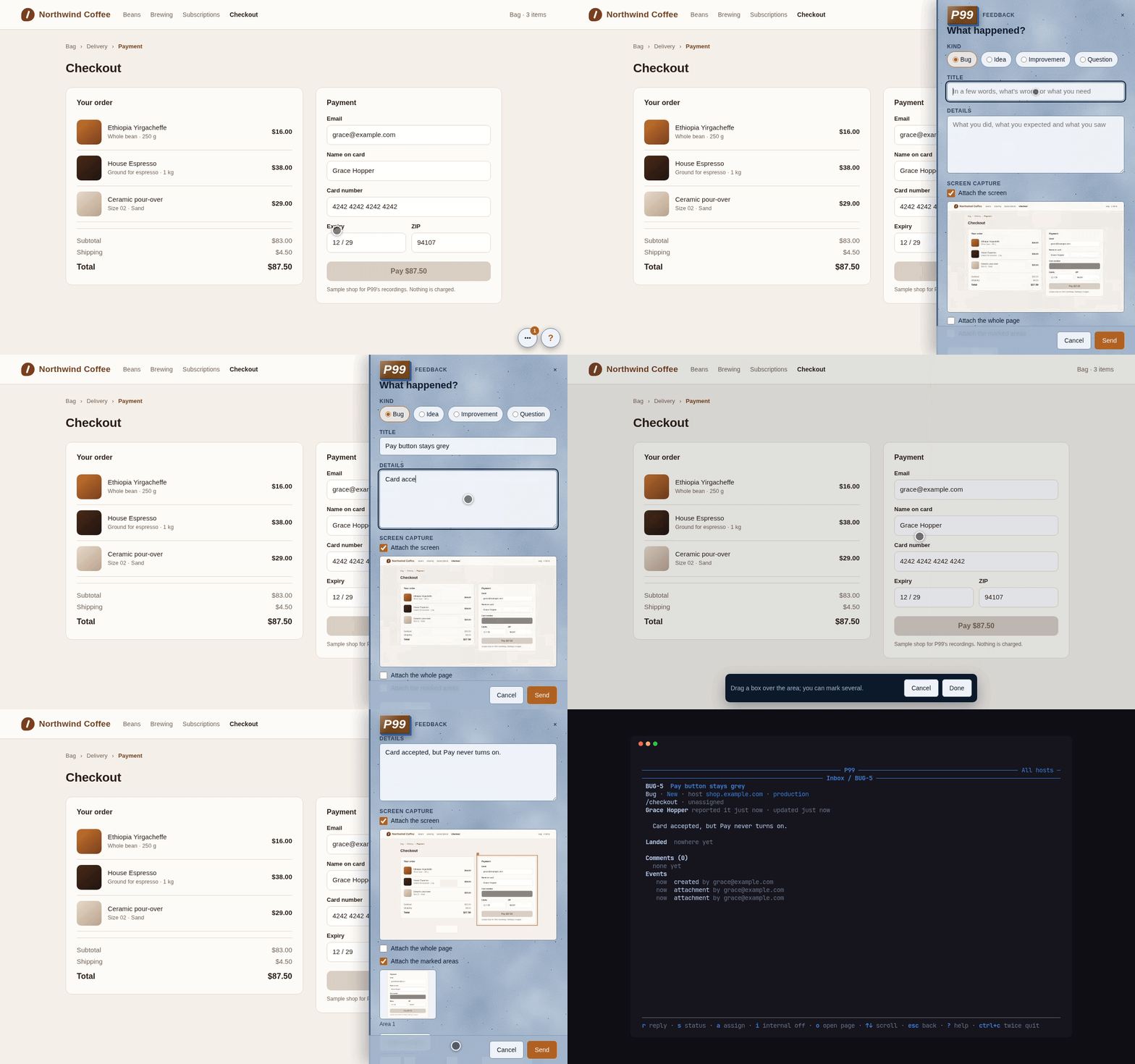
P99 is issue and feedback reporting for any website, part of PITO MD. The people you invite see a small “?” on your site; it opens a panel where they file a bug, an idea, an improvement, a question or a task, with a capture of the screen, marked regions and files, and follow the replies. You and your agents answer from the terminal: p99 is a CLI with --json for scripts and agents, and p99 tui is the inbox.
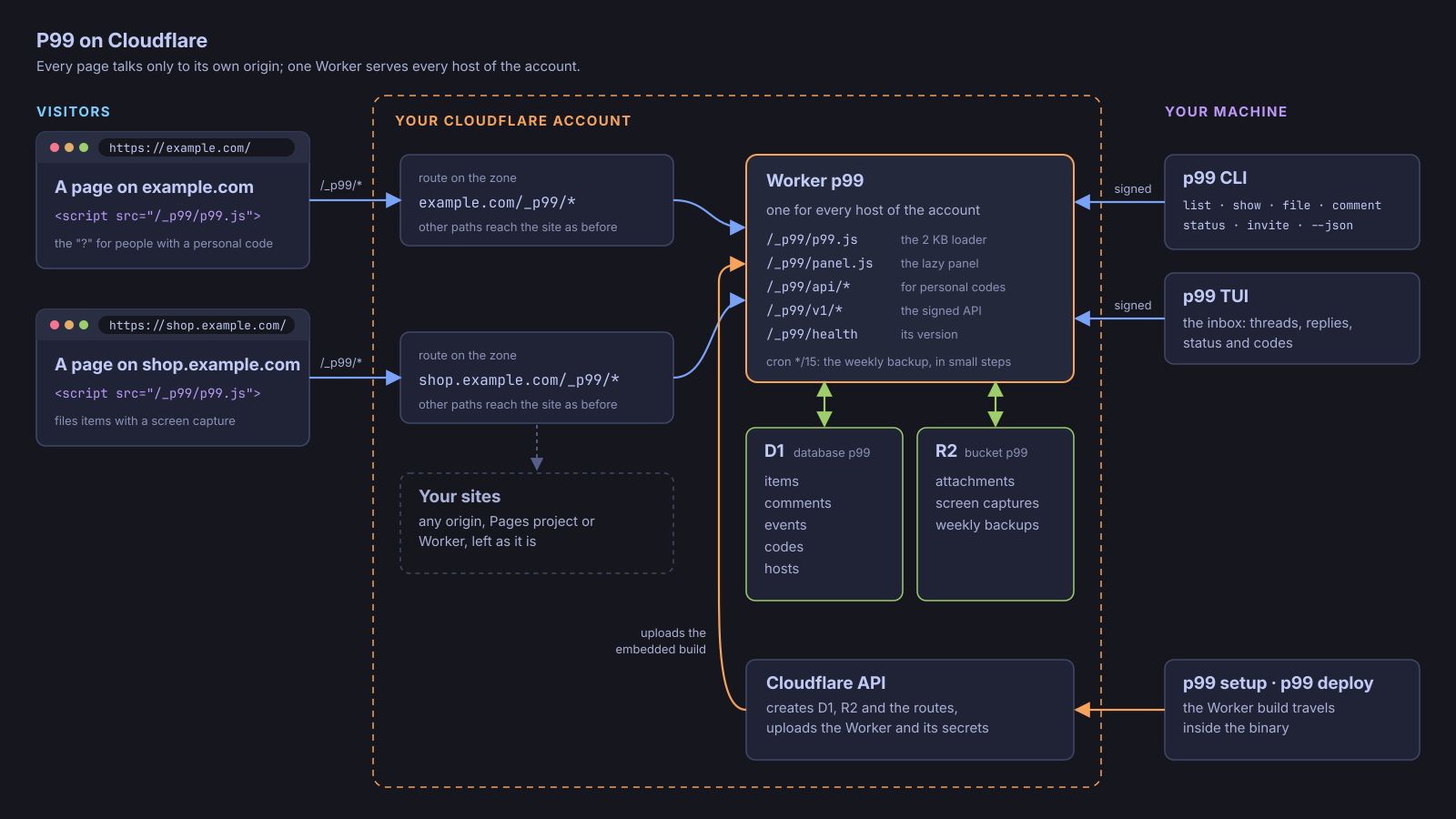
Cloudflare is the whole infrastructure: one Worker, one D1 database and one R2 bucket per Cloudflare account, mounted on each site’s own domain at /_p99/*. The page talks only to its own origin. There is no other backend, no CORS, no framework, no build step and nothing from your stack.
Works on Linux and macOS (Windows through WSL). The widget runs in any modern browser.
The numbers
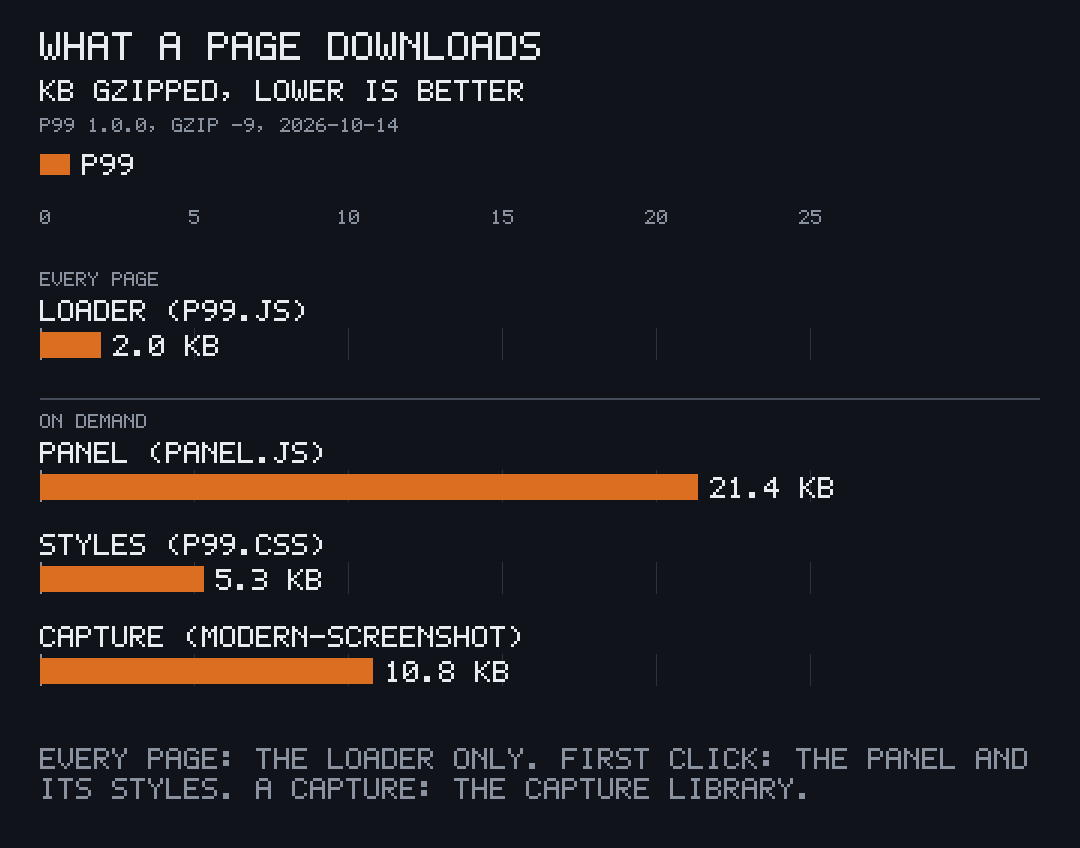
Section titled “The numbers”| What every page downloads | 2,032 bytes gzipped: the loader, nothing else |
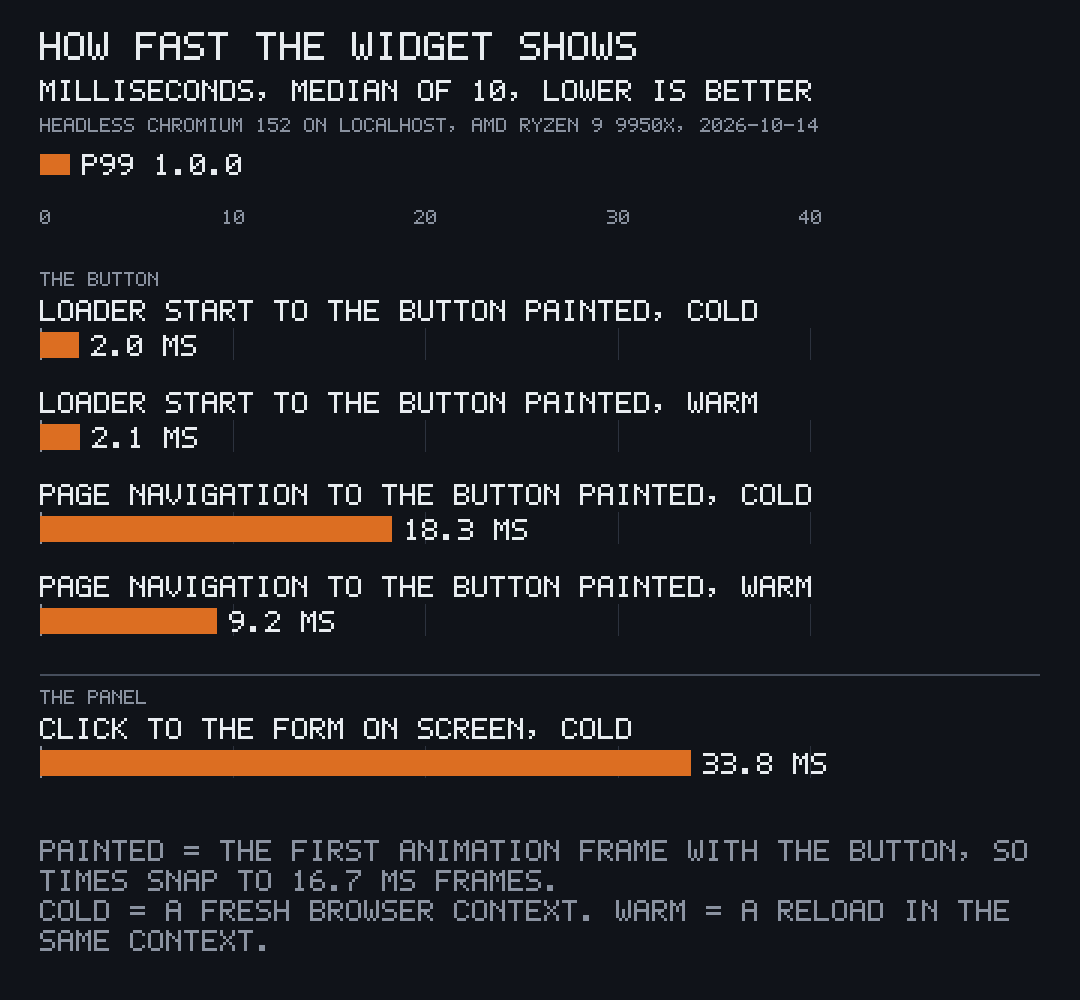
| Loader start to the “?” painted | 2.0 ms median, cold |
| Page navigation to the “?” painted | 18.3 ms cold, 9.2 ms warm (median of 10) |
| Click to the panel’s form on screen | 33.8 ms median, cold: panel and styles load only then (27.3 KB gzipped) |
| TUI frame time at 120×34 | 0.05 to 0.13 ms average: 120 fps leaves 8.33 ms |
| Backend | 0 servers: one Cloudflare Worker, D1 and R2 per account |
| Worker runtime dependencies | 0 (wrangler only to run its tests) |
| p99 binary | 5.5 MB, 10 direct crates, the Worker and widget embedded |
Measured once on 2026-10-14 for 1.0.0: sizes with gzip -9; browser times in headless Chromium 152 on localhost, an AMD Ryzen 9 9950X, where “painted” is the first animation frame with the button (so times snap to 16.7 ms frames); TUI times with p99 tui --demo --bench 200 on a release build.
On your site
Section titled “On your site”One tag, every page. The loader is a classic script of about 2 KB that draws the “?” in its own closed Shadow DOM, only for people holding a personal code. For everyone else it reads nothing and draws nothing. It adds one element and one global, P99, and works under a strict Content-Security-Policy: no 'unsafe-inline', no eval, no frames, nothing from another origin.
<script src="/_p99/p99.js" async></script>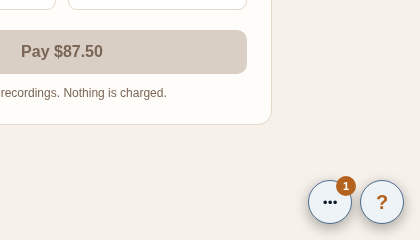
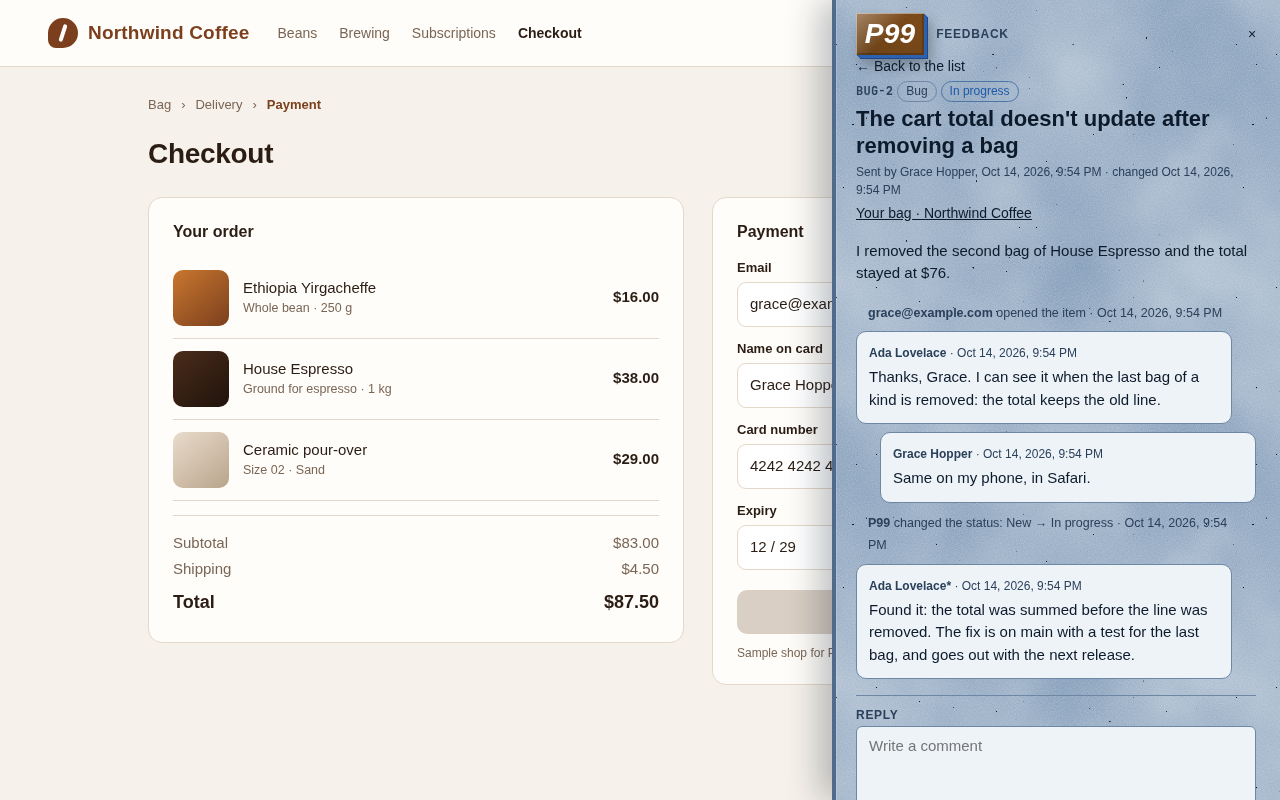
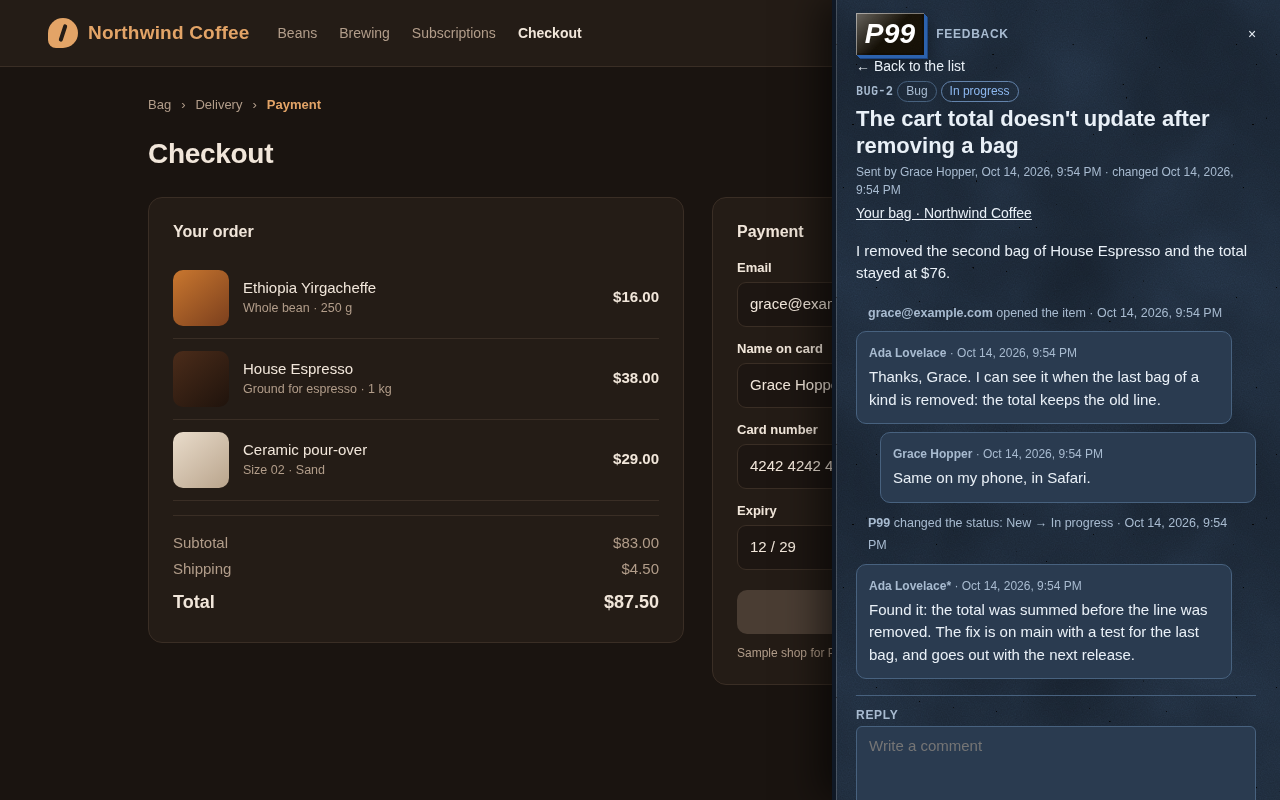
The panel loads on the first click. It files bugs, ideas, improvements, questions and tasks, lists what the person sent with what’s new for them, and shows each thread with its replies, files, status changes and where its fix has landed. It follows the page’s light or dark scheme and takes the site’s colours through CSS variables.
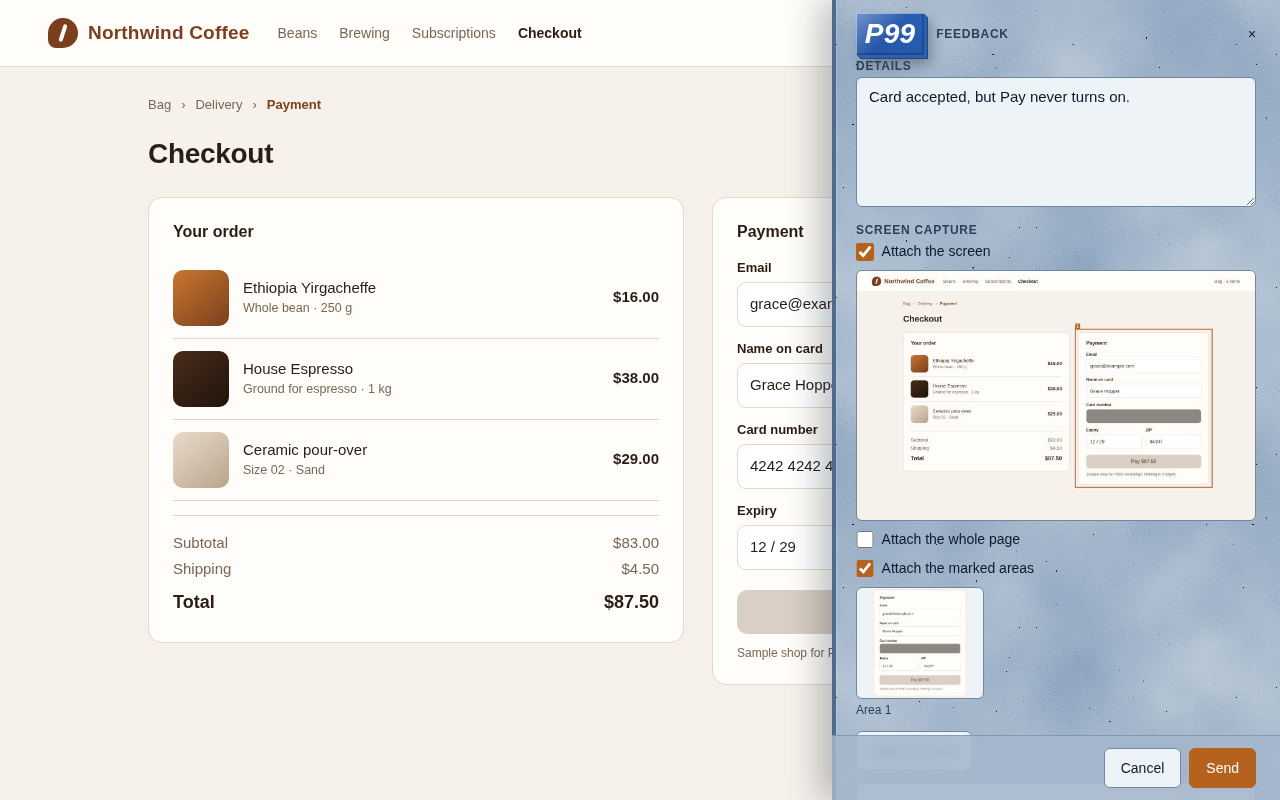
Captures that keep secrets. The visible screen, the whole page or regions the person marks go with the item. Fields marked data-p99-redact (and every password field) are blanked in every capture, the address is kept without its query string and hash, and a site can switch P99 off on any page, such as a checkout’s receipt.
In your terminal
Section titled “In your terminal”The inbox. p99 tui shows every item across your sites and Cloudflare accounts, or one site at a time, with its host on every row. Open a thread to read it, reply, add an internal note, change the status or assign it.
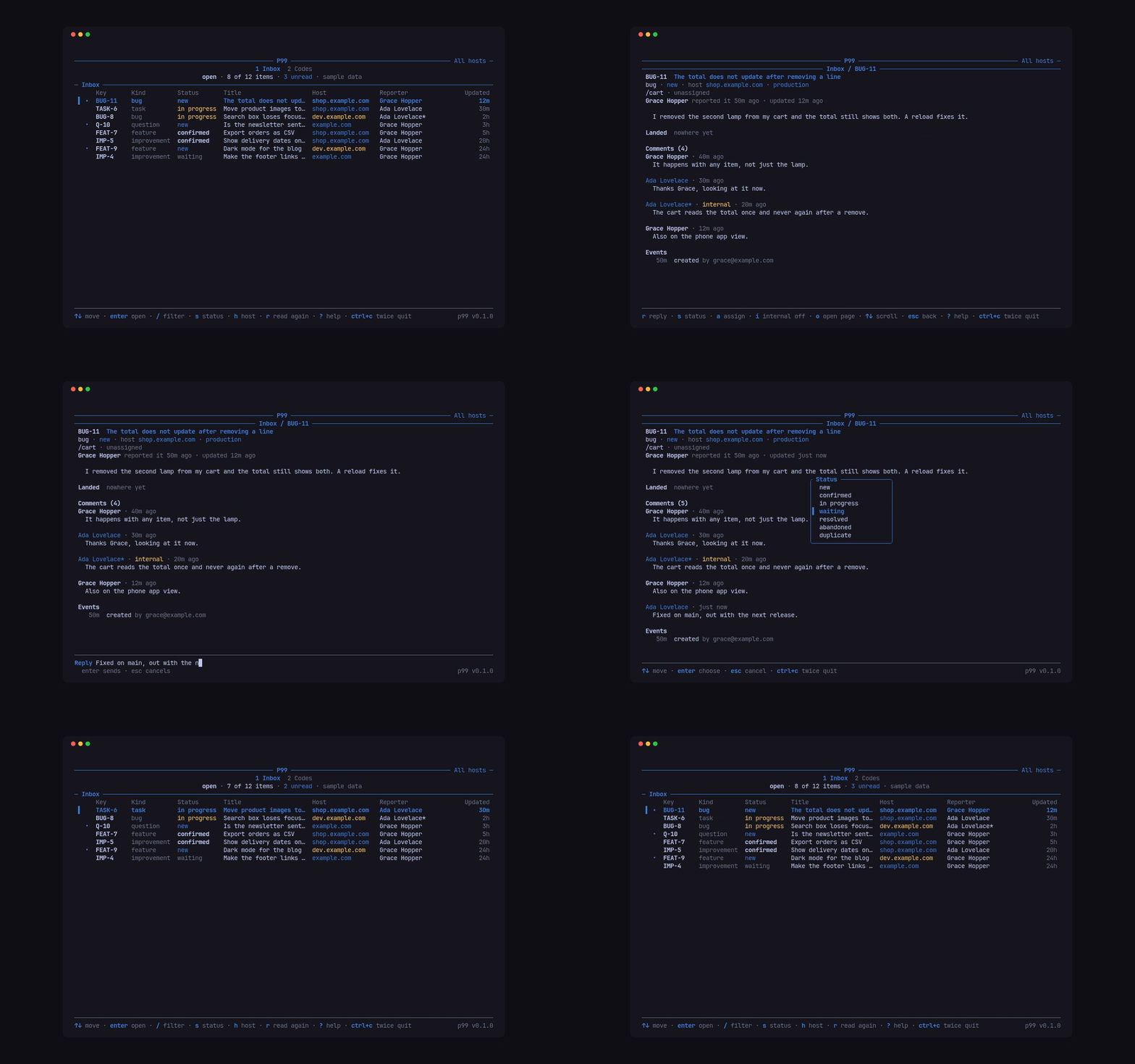
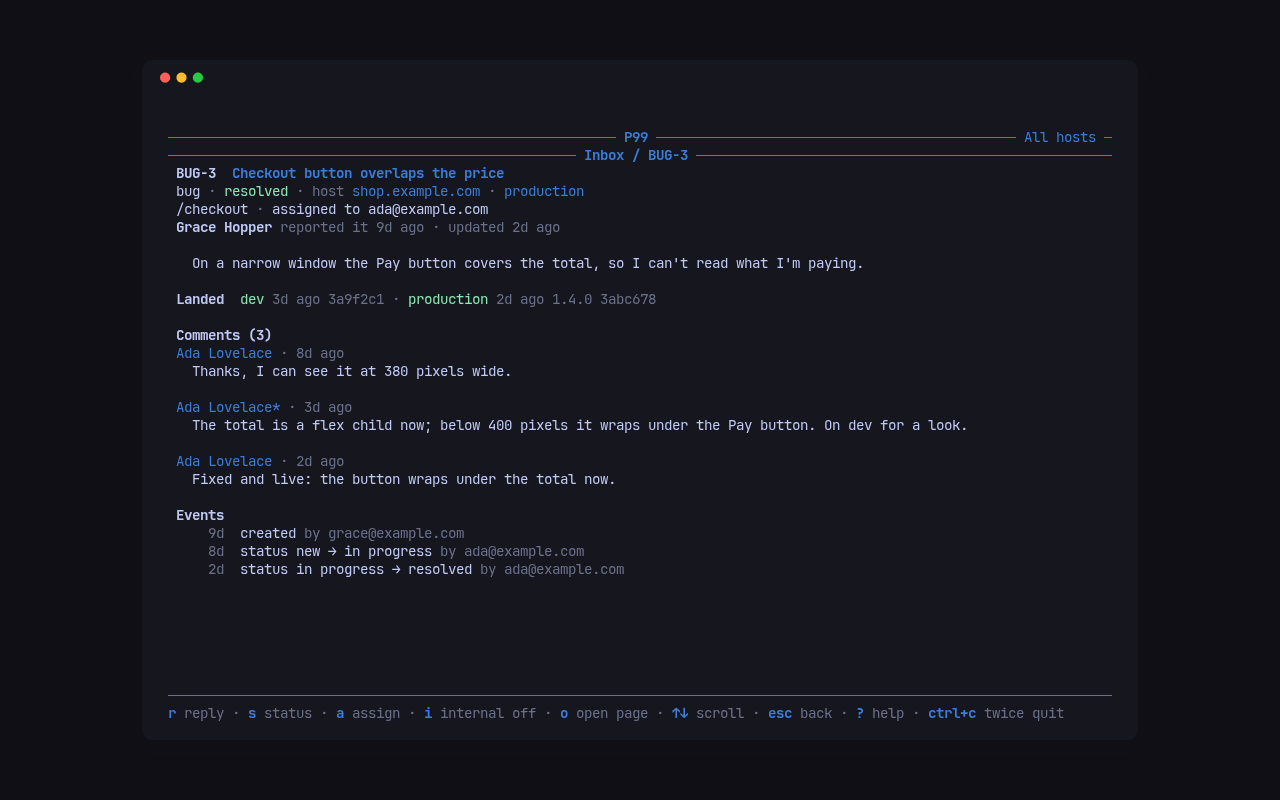
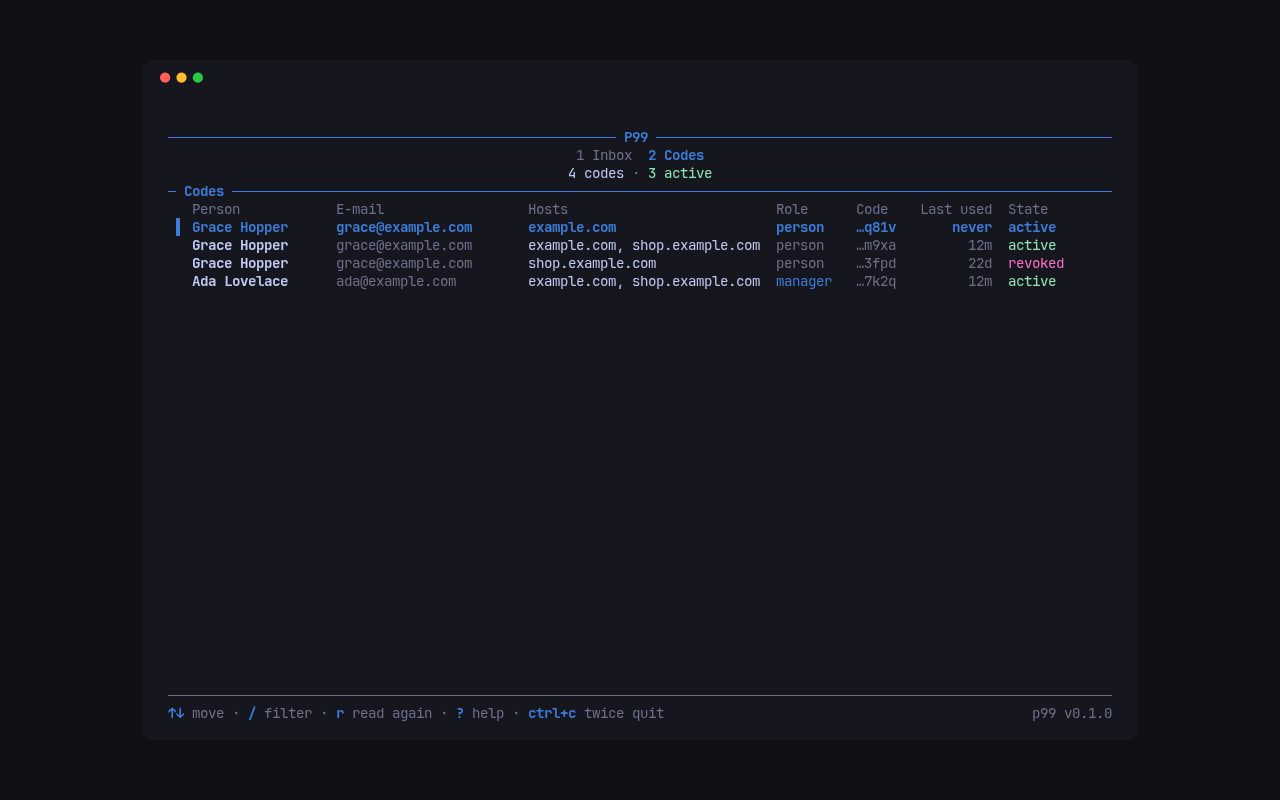
A CLI for people and agents. Every command answers --json. An agent acting for you runs with --agent (or P99_AGENT=1), and its items, comments and changes show as your name with an asterisk, Ada Lovelace*, so your words and your agent’s never look alike.
p99 list --all --status openp99 show BUG-12p99 comment BUG-12 "Fixed on dev, can you check?"p99 status BUG-12 resolved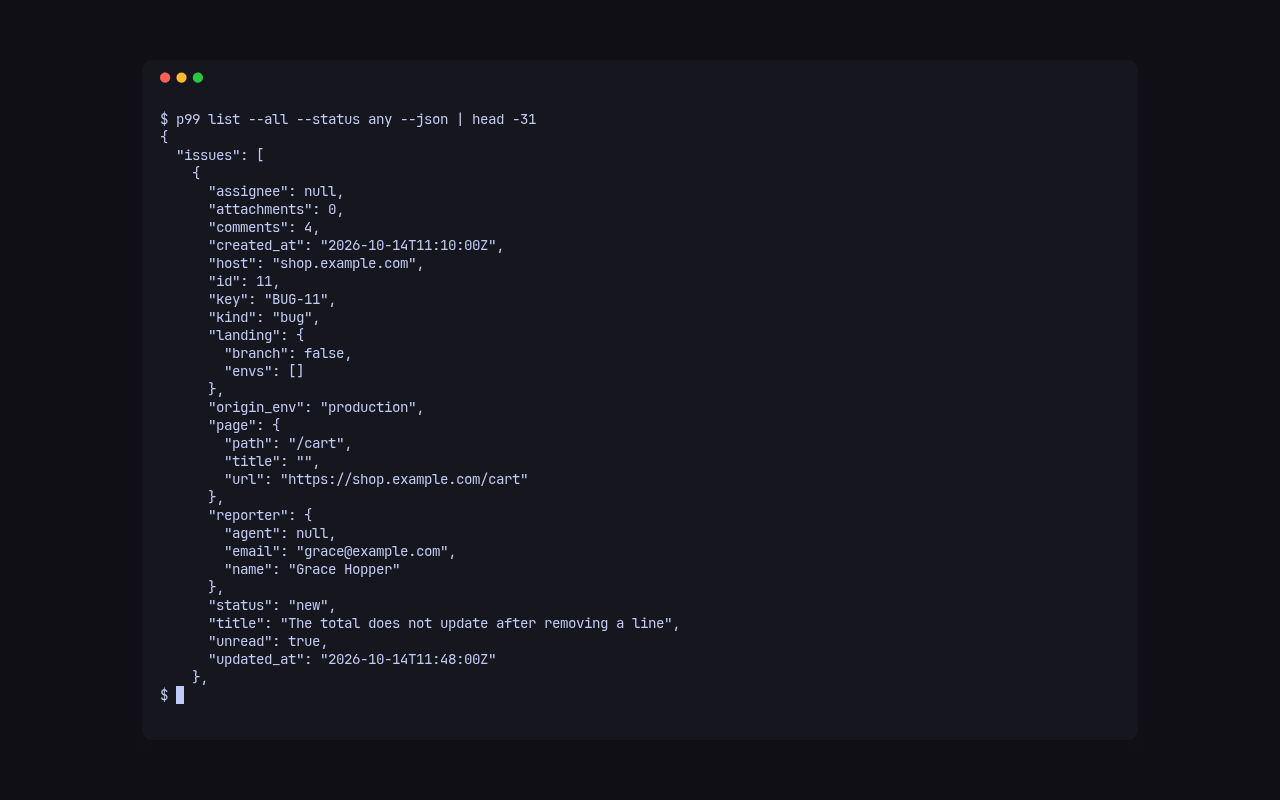
Where a fix landed. p99 announce reads your commits’ Fixes: BUG-12 and Refs: FEAT-3 trailers and tells P99 which environment a build reached. Each item then shows when its fix is on dev and in production, and its reporter can be told when it ships.
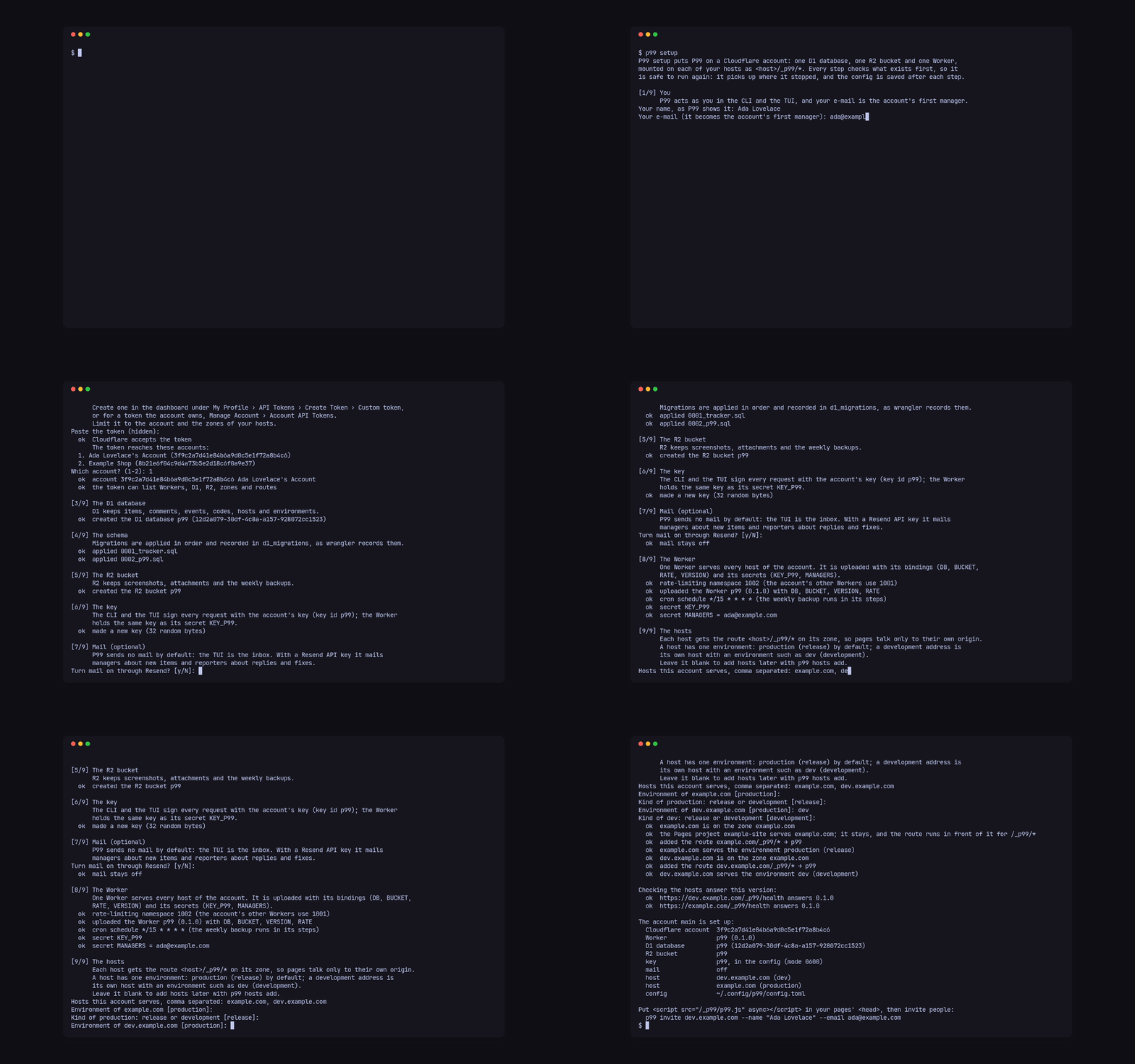
Setup that explains itself. p99 setup says which Cloudflare API token to create, where, and why each permission is needed. It checks the token and every permission, then creates the D1 database, the R2 bucket, the key, the Worker and a route for each site, showing its progress. It ends with what exists and the command to run next. It is safe to run again, and a second Cloudflare account goes in beside the first. p99 deploy uploads a new version later, keeping every secret.
How it fits together
Section titled “How it fits together”Each Cloudflare account holds one Worker, one D1 database and one R2 bucket, and the Worker sits on a route, <host>/_p99/*, in front of each of your sites. A route runs before a Pages project, a tunnel or another Worker on that host, so P99 never touches the site itself. The p99 binary carries the Worker, the loader, the panel and the database migrations, and uploads that same build to every account.
Invites are personal codes rather than accounts. p99 invite example.com --name "Ada Lovelace" --email ada@example.com mints a 12-character code and a link, https://example.com/#p99=<code>. The code travels in the link’s fragment, which browsers never send to a server, so it stays out of every log. Codes are revocable and rate-limited. Code holders see their own items; managers see everything.
Start here
Section titled “Start here”- Install: every platform, and the quick start.
- Set up an account: run p99 setup to put P99 on a Cloudflare account, with the API token’s permissions and every question it asks.
- Put P99 on a site: add a host, put the one script tag in your pages, place and theme the button, and keep P99 working under a strict Content-Security-Policy and Cloudflare Access.
- Invite people: mint personal codes with p99 invite, send their links, list who holds one and revoke a code.
- Work the inbox: read, answer, assign and close items in p99 tui or with the CLI, and read them as JSON in scripts.
- Let agents work the inbox: let a coding agent read and answer items as you, marked with an asterisk everywhere it acts, using –agent or P99_AGENT and the JSON output.
- Announce builds and landings: name items in commit trailers and run p99 announce after each deploy, so every item shows when its fix is on dev and in production.
- Import existing items: move items from another tracker into P99 with p99 import, keeping their keys, comments, files and history, and run it again safely.
- Deploy updates: upgrade the P99 Worker on each Cloudflare account with p99 deploy after installing a new p99, and see what a build carries with p99 bundle.
Reference
Section titled “Reference”- CLI reference: every command and flag.
- Formats and API: the config file, the import bundle, the HTTP API and its JSON objects.
- Host reference: the tag, the route, Content-Security-Policy, privacy and the host config.
- Changelog: what changed in each version.
Licence
Section titled “Licence”MIT, © Catalin Ilinca; see LICENSE. The MIT licence covers the code only: the P99 and PITO MD names and logos are © Catalin Ilinca, all rights reserved (TRADEMARKS.md). Third-party code and its licence are listed in NOTICE.