
Arrange a scene in the window
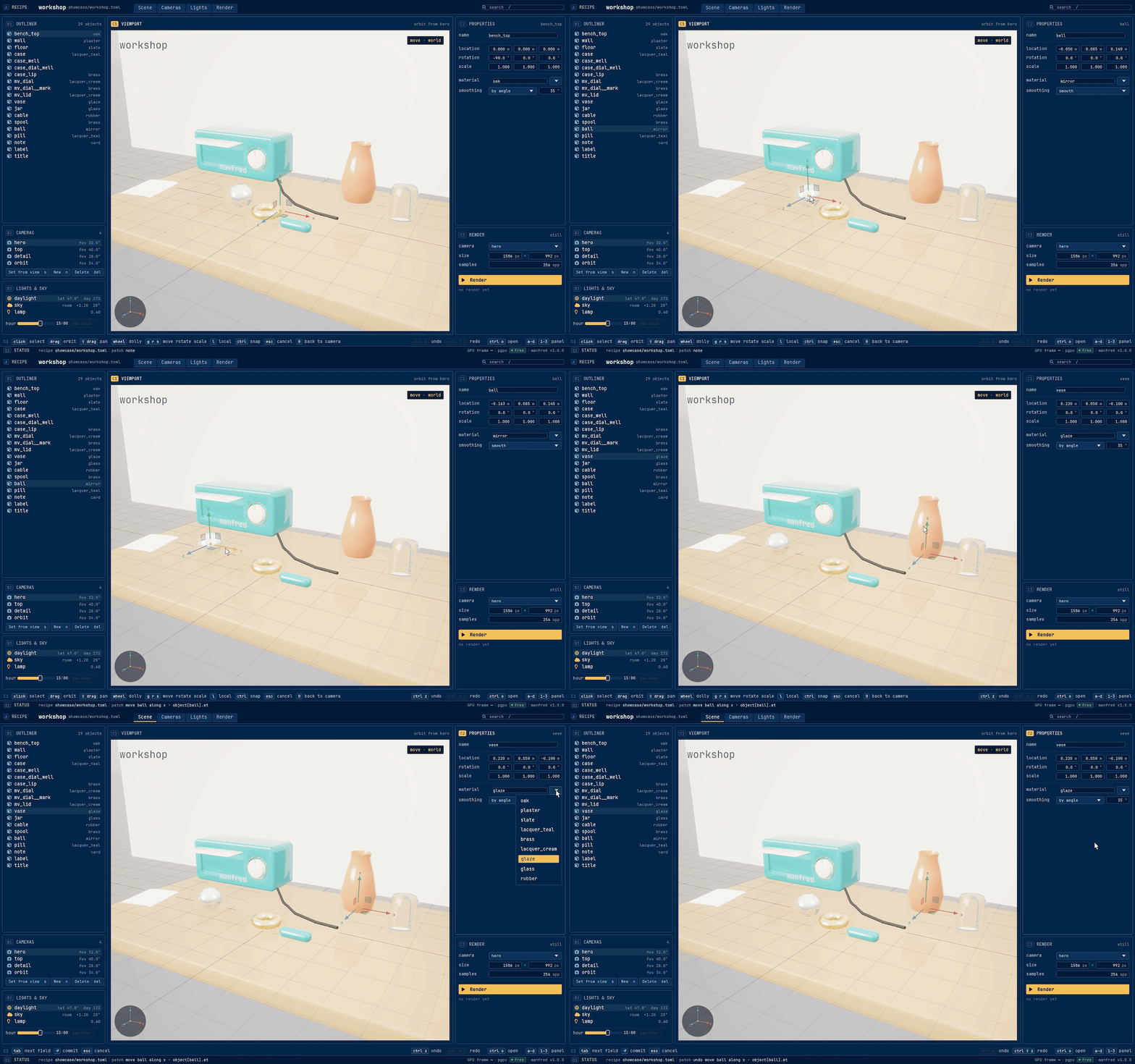
manfred gui opens a recipe in a window drawn by the engine’s live renderer. Every edit you make goes straight back into the recipe file, keeping its comments and formatting; there is nothing to save, and Ctrl+Z puts an edit back.
Open a recipe
Section titled “Open a recipe”manfred gui desk.toml # that recipemanfred gui showcase/ # the picker, on the recipes of that foldermanfred gui # the start scene, Manfred's own mark on a floor gridCtrl+O opens the picker over the viewport at any time; Esc closes it. The window watches the recipe and every file it includes: an edit made outside, by an editor or an agent, shows at once.
Move around
Section titled “Move around”Drag in the viewport to orbit, Shift+drag or middle-drag to pan, and the wheel to dolly. 0 looks through the chosen camera again.
Pick and move a part
Section titled “Pick and move a part”- Pick: click a part in the viewport, or its row in the outliner. Glass and text pick like any part; the outliner also reaches hidden and shadow-only objects.
- The gizmo:
gmove,rrotate,sscale, with the viewport focused.lswitches between world axes and the object’s own. - Drag a handle: an arrow moves along its axis, a square in its plane, a ring rotates, the centre box scales evenly. Hold Ctrl to snap: 1 mm, 5° or 0.05 of scale. Esc mid-drag cancels.
- Release writes one edit: only the key that changed (
at,rotateorscale), in the units the recipe uses.
Change the properties
Section titled “Change the properties”The properties panel shows the selection’s name, location, rotation, scale, material and smoothing. A drag on a number commits on release and a typed value on Enter. The material list holds the recipe’s materials; typing a new name and pressing Enter writes it. A rename updates every reference to the object in the same edit.
Cameras
Section titled “Cameras”The cameras panel lists the recipe’s cameras. Choose one to look through it; orbit away, and Set from view (s) writes what you see into that camera’s position, target, up and field of view. New (n) appends a camera from the view, named view1, view2 and so on. Delete asks first.
The hour
Section titled “The hour”The hour slider in the lights panel moves the sun and the sky live without writing anything. Use hour writes the shown hour into the recipe’s daylight [sun].
Ctrl+Z undoes, Ctrl+Shift+Z or Ctrl+Y redoes, from any panel except while a text field has the keyboard. Each step restores the file byte for byte, comments and spacing included.
Render from the window
Section titled “Render from the window”The render panel holds a camera, a size and samples, and Render runs manfred render as its own process, so the window stays responsive. The finished picture shows as a thumbnail; v shows it full size over the viewport. Path-trace a still covers the renderer itself.