
Shoot and film the window headless
The window can be drawn offscreen, with no compositor and nothing on your desktop: one frame with --shot, or a whole clip with --clip. A program or an AI agent sees what the window shows this way, and every window clip in these pages was made by it.
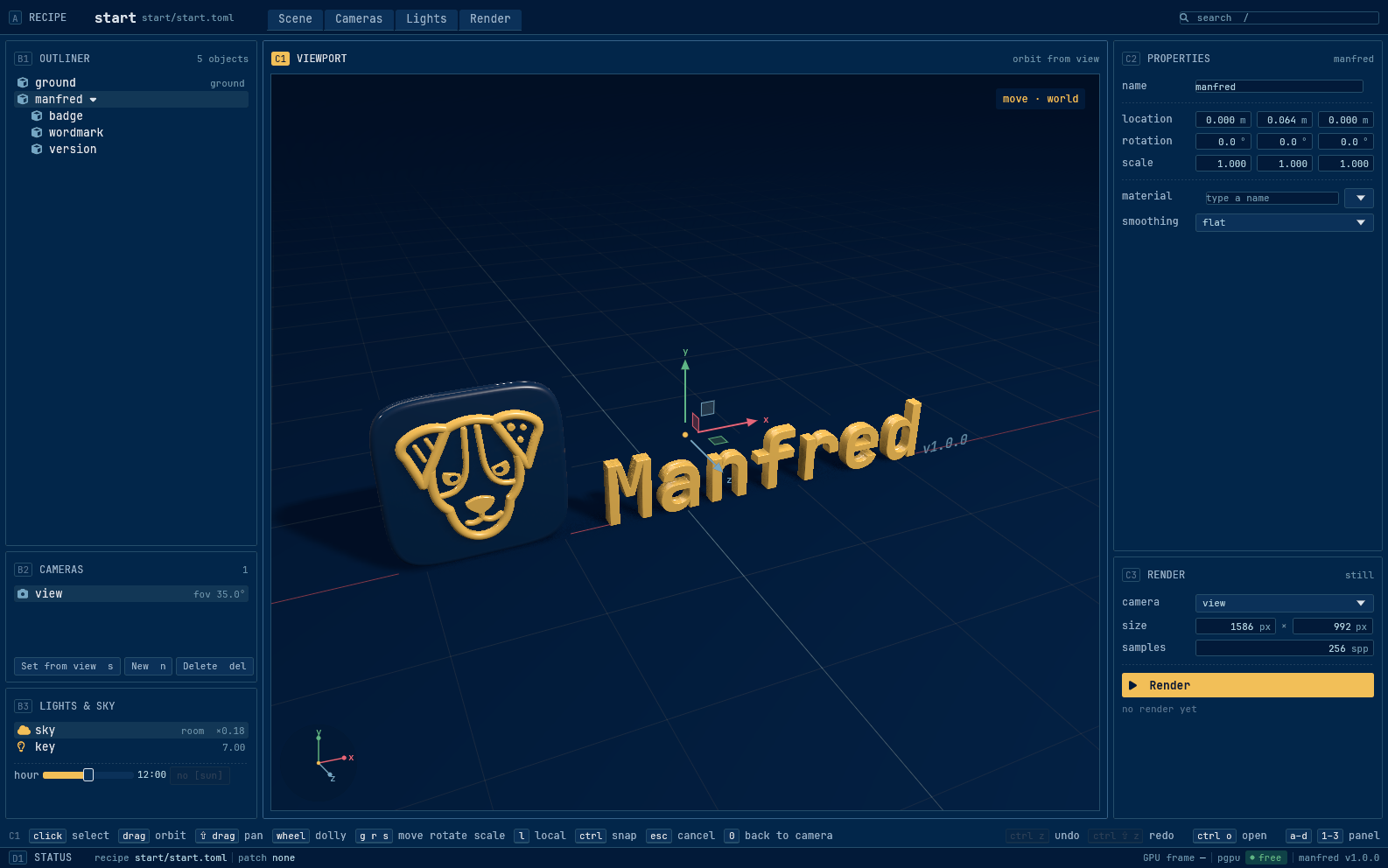
One frame
Section titled “One frame”manfred gui showcase/workshop.toml --shot workshop.pngmanfred gui --start --shot start.png --size 1280x800--size sets the window (1586x992 by default). The frame shows the settled window: the scene built, the stage drawn, every panel laid out.
Play a script first
Section titled “Play a script first”--input <script> plays a script of one step a line before the frame. Coordinates are points from the window’s top left, and a line starting with # is a comment.
# pick the vase and look at its propertiesclick 995 480framekey g| Step | Does |
|---|---|
key <name> |
one key by egui’s name (g, Escape, Enter, ArrowDown); ctrl+, shift+, alt+ hold a modifier: key ctrl+z |
text <words> |
types the rest of the line |
move x y |
moves the pointer |
click x y |
presses and releases |
press x y / release x y |
holds the button down until the release, for a drag a frame can stop inside |
drag x y x y [middle] |
a whole drag in one line |
scroll x y lines |
the wheel, positive to come nearer |
frame |
draws one pass |
manfred gui showcase/workshop.toml --input pick.txt --shot picked.pngFilm a tape
Section titled “Film a tape”A tape is a script with time: wait <seconds> holds still, the pointer glides to each point, a drag takes its time, text types at 15 characters a second.
wait 1click 673 547wait 0.6press 720 556move 690 551move 660 546release 630 541wait 0.8key ctrl+zwait 1.5manfred gui showcase/workshop.toml --clip clips --tape move.tape --poster lastIt writes three files into clips/, each named <tape>-<W>x<H>-<fps>fps: an x264 .master.mp4, a .poster.png and a .json manifest (file formats). --fps is 30, 60 or 120. It needs ffmpeg on the PATH.
- It plays on a copy: the recipe’s folder is copied into the clip folder and played there, so the tape’s edits never reach your files, and the copy is removed at the end.
- It is deterministic: between frames it waits for every build, pick and render the window started, so the same tape gives the same master byte for byte.
To make a GIF of it, pconv converts the master:
pconv clips/move-1586x992-30fps.master.mp4 move.gif --size 1280 --fps 15