
Keep a backup a day
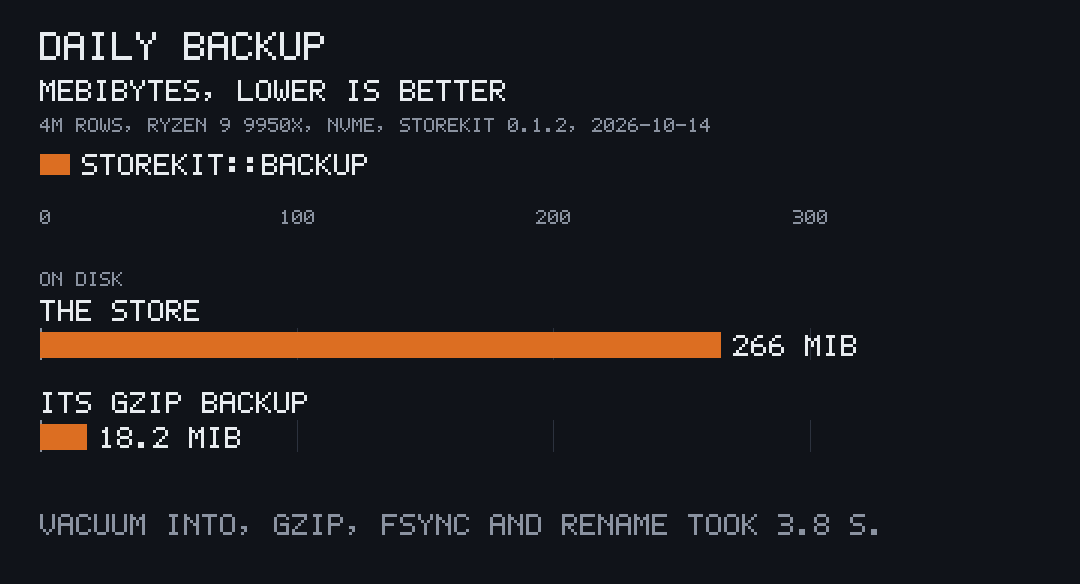
storekit::backup keeps one compressed copy of the store a day and deletes
copies older than 14 days (KEEP_DAYS). In the measured run a 265.5 MiB store
became an 18.2 MiB backup, 14.6× smaller, in 3.8 s.
Keep one now
Section titled “Keep one now”let backups = APP.data_dir().join("backups");if storekit::backup::due(&backups, APP.folder, now()) { let kept = storekit::backup::keep(&connection, &backups, APP.folder)?; println!("{} ({} bytes)", kept.path.display(), kept.bytes);}keep(connection, dir, stem) creates dir if needed, then:
VACUUM INTOa plain copy,<name>.plain;- gzips it into
<name>.partand fsyncs it; - renames it to
<stem>-YYYYMMDD-HHMM.db.gz(UTC); - deletes this stem’s copies older than 14 days.
A half-made backup never takes a finished name, and files it didn’t name are
left alone. keep returns a Kept with the path and its size in bytes, or
the error as a string.
due(dir, stem, now) is true when the newest copy is from an earlier UTC day
than now (Unix seconds), or there is none. latest(dir, stem) returns the
newest copy’s time in Unix seconds, read from its name. The
formats page spells out the name.
Keep them from a background thread
Section titled “Keep them from a background thread”use rusqlite::Connection;use std::path::PathBuf;
fn backup_dir(_connection: &Connection) -> Option<PathBuf> { Some(APP.data_dir().join("backups"))}
let handle = storekit::backup::spawn(db.clone(), backup_dir, "notes");spawn(db, dir_of, stem) starts a thread named backup that checks every
minute and keeps a copy when one is due. dir_of is asked for the folder each
time, so it can read it from the store’s settings; returning None skips the
run and marks the status unconfigured.
The returned Handle answers:
handle.status(): aStatuswithrunning,last_run_unix,next_run_unix,last_elapsed,last_bytes,last_errorandunconfigured;handle.backup_now(): keeps a copy at once, due or not.
Restore one
Section titled “Restore one”A backup is a gzipped SQLite file. Close the app, then:
gunzip -c ~/.local/share/notes/backups/notes-20261014-1901.db.gz > ~/.local/share/notes/notes.dbrm -f ~/.local/share/notes/notes.db-wal ~/.local/share/notes/notes.db-shmGzip any file the same way
Section titled “Gzip any file the same way”storekit::archive::gzip_file(from, into) gzips one file and fsyncs the
result, as the backups do.