
Resume and verify
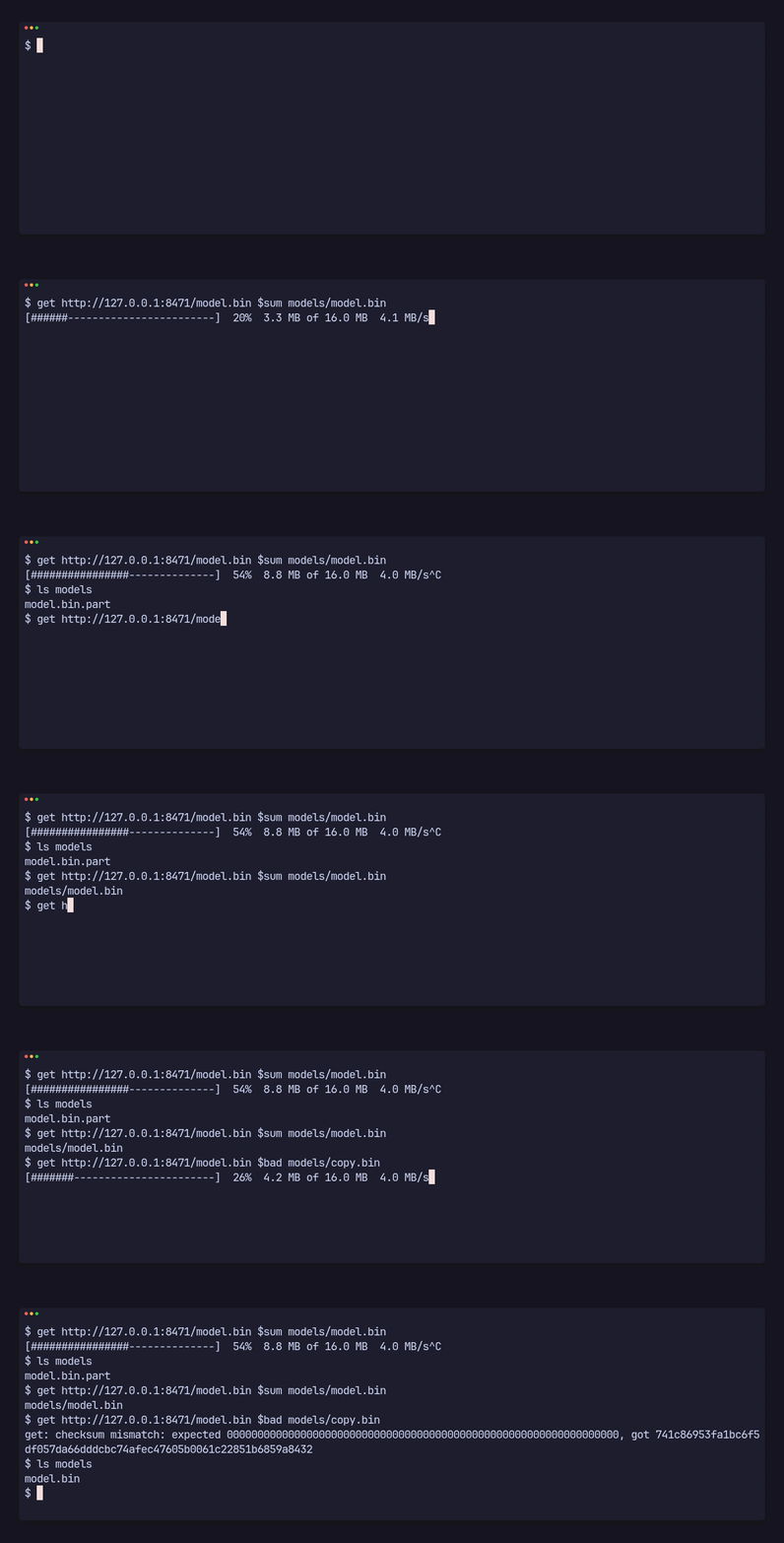
You don’t call anything to resume: the same request, run again, carries on. This page shows what happens on disk, with the repository’s get example (Try it locally sets it up).
The part file
Section titled “The part file”Bytes never go straight to the destination. A download of models/demo.bin writes models/demo.bin.part; only a whole, verified file is renamed to models/demo.bin. Stop the download halfway, here after two seconds of a 50 MB file sent at 10 MB a second:
$ timeout -s INT 2 get http://127.0.0.1:8471/demo.bin $sum models/demo.bin$ ls modelsdemo.bin.partWhatever stopped it, a Ctrl-C, a crash, a power cut, a lost connection or a cancel, the part file stays and the destination is untouched.
Resume
Section titled “Resume”Run the same request again:
$ get http://127.0.0.1:8471/demo.bin $sum models/demo.binmodels/demo.binpito-fetch finds the part file, asks the server for the rest with Range: bytes=<part size>-, and appends it. Progress counts from the bytes already there, so a bar picks up at the same percentage.
A server that can’t resume is handled too:
- it answers
200with the whole file: the part file is dropped and the download starts again from zero; - it answers
416 Range Not Satisfiable(the part is as long as the file or longer, or the file changed): the same, a fresh download from zero.
Within one call, a connection that breaks mid-file is retried three times, after 1, 4 and 9 s, each time resuming from the part file. A host that can’t be reached at all isn’t retried; it fails with Offline at once.
Verify
Section titled “Verify”When the body ends, the whole part file is read back and hashed. Only a match is renamed into place, and the rename is atomic: anyone opening the destination sees no file or the whole verified file, never a half.
A mismatch deletes the part file and fails:
$ get http://127.0.0.1:8471/demo.bin 0000000000000000000000000000000000000000000000000000000000000000 models/copy.binget: checksum mismatch: expected 0000000000000000000000000000000000000000000000000000000000000000, got adfffd73f4828f23fcc2dd03f8a91eca4f332e554b0dd8706afbd5cfb77a6295$ ls modelsdemo.binNothing named copy.bin was left behind, part file included. In code that is FetchError::ChecksumMismatch { expected, got }; Handle errors says what to do with it.
The part file’s name and the sha256 string format are part of the library’s contract, see Formats.